Field notes
SaaS Directory Submission Checklist: Assets, Copy and Ops
The SaaS directory submission checklist: assets, four description lengths, accounts and tracking, what 108 real directory forms ask for (and their character limits), friction to plan for, a master checklist and a maintenance schedule.
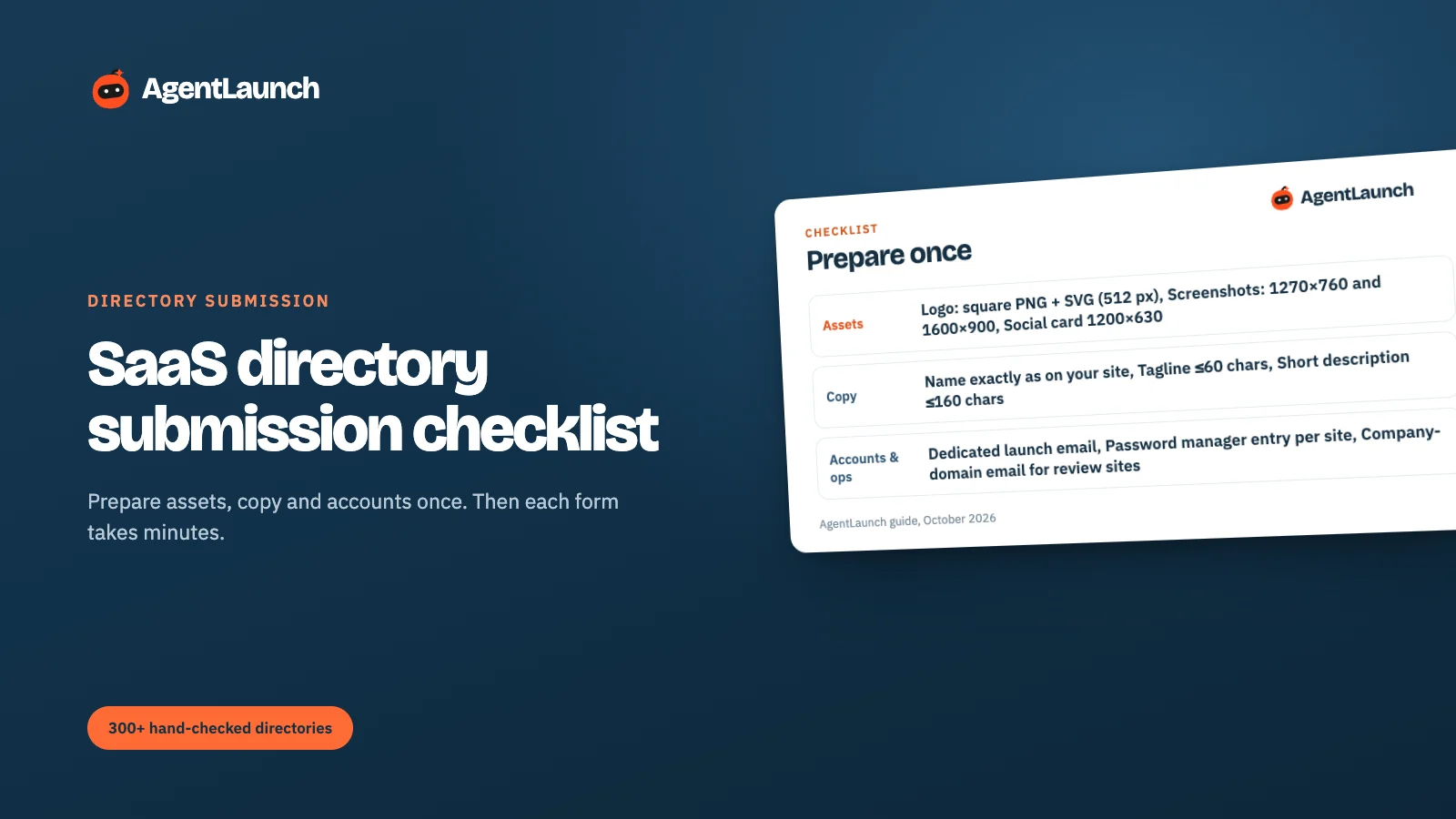
Before submitting a SaaS to directories, prepare everything once: assets (a square logo in PNG and SVG at 512 px, screenshots at 1270 × 760 and 1600 × 900, a 1200 × 630 social card, a 60–90 second demo video, a favicon), copy (your exact product name, a tagline of 60 characters or less, and descriptions at 160, 500 and 1,000+ characters, plus categories and tags), and operations (a dedicated launch email, a password-manager entry per site, a company-domain email for review sites, UTM links per directory, and a tracker). With that kit, most directory forms take 3–10 minutes instead of 30.
Below: the full checklist, what each item is for, and how to prioritise which directories to submit to first.
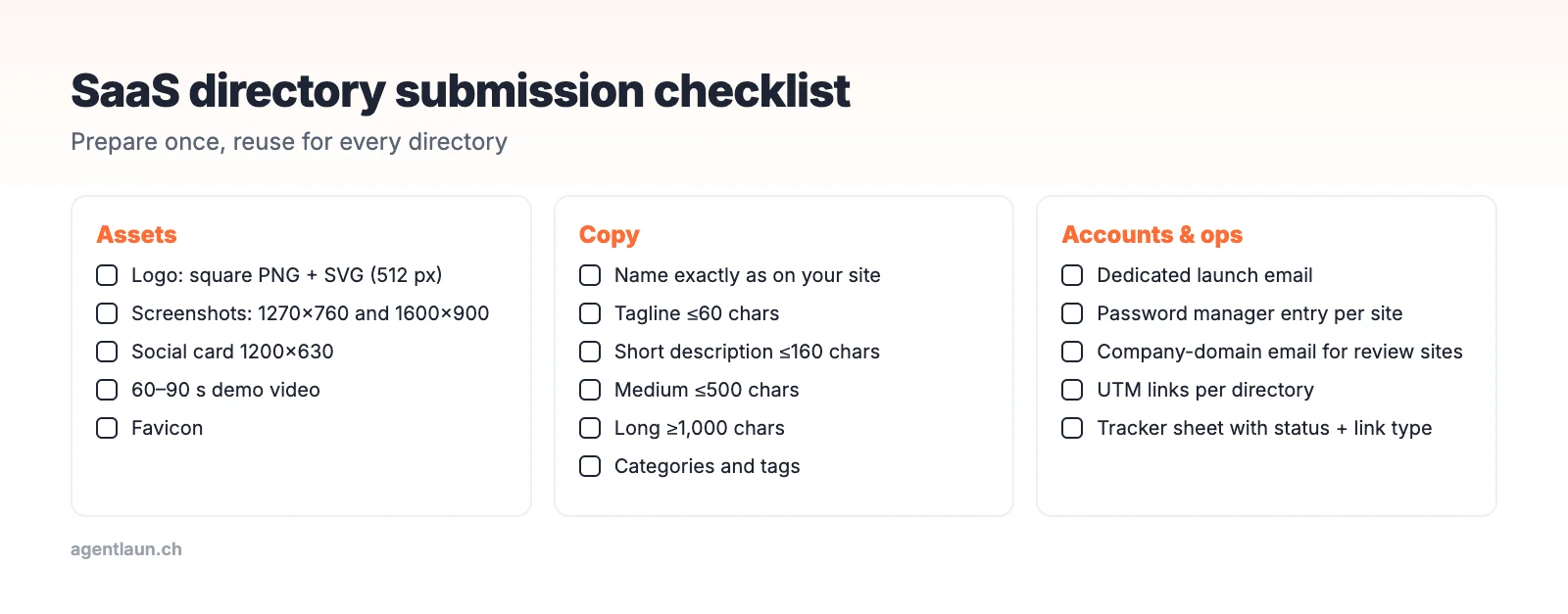
Assets
| Item | Spec | Why |
|---|---|---|
| Logo | Square PNG + SVG, 512 px, transparent background | Every directory asks; many crop to a square |
| Screenshots | 1270 × 760 (launch platforms), 1600 × 900 (directories) | Product Hunt's spec is the common standard |
| Social card | 1200 × 630 | Used when listings are shared |
| Demo video | 60–90 s, YouTube or Vimeo link | Many forms accept a video URL (structure) |
| Favicon | 32 × 32 and 180 × 180 | Some directories pull it automatically |
Keep files under 3 MB. That's Product Hunt's limit, and many smaller sites' too.
Copy
| Item | Limit |
|---|---|
| Product name | Exactly as on your site |
| Tagline | ≤ 60 characters |
| Short description | ≤ 160 characters |
| Medium description | ≤ 500 characters |
| Long description | 1,000+ characters |
| Categories and tags | 1–3 accurate categories, 3–5 tags |
| Pricing summary | "Free plan; Pro from $19/month" |
| Founder name and role | For maker profiles |
How to write each length: SaaS directory description guide.
What directory forms ask for
We parsed the signed-out submit forms of 108 directories in AgentLaunch's catalog. How many asked for each field:
| Field | Forms asking (of 108) |
|---|---|
| Website URL | 77 |
| 69 | |
| Product name | 65 |
| Description | 37 |
| Category or tags | 33 |
| Tagline / short description | 30 |
| Pricing | 17 |
| Logo | 17 |
| Social links | 17 |
| Demo video | 14 |
| Screenshots | 9 |
| Discount or deal | 9 |
And where they set a character limit:
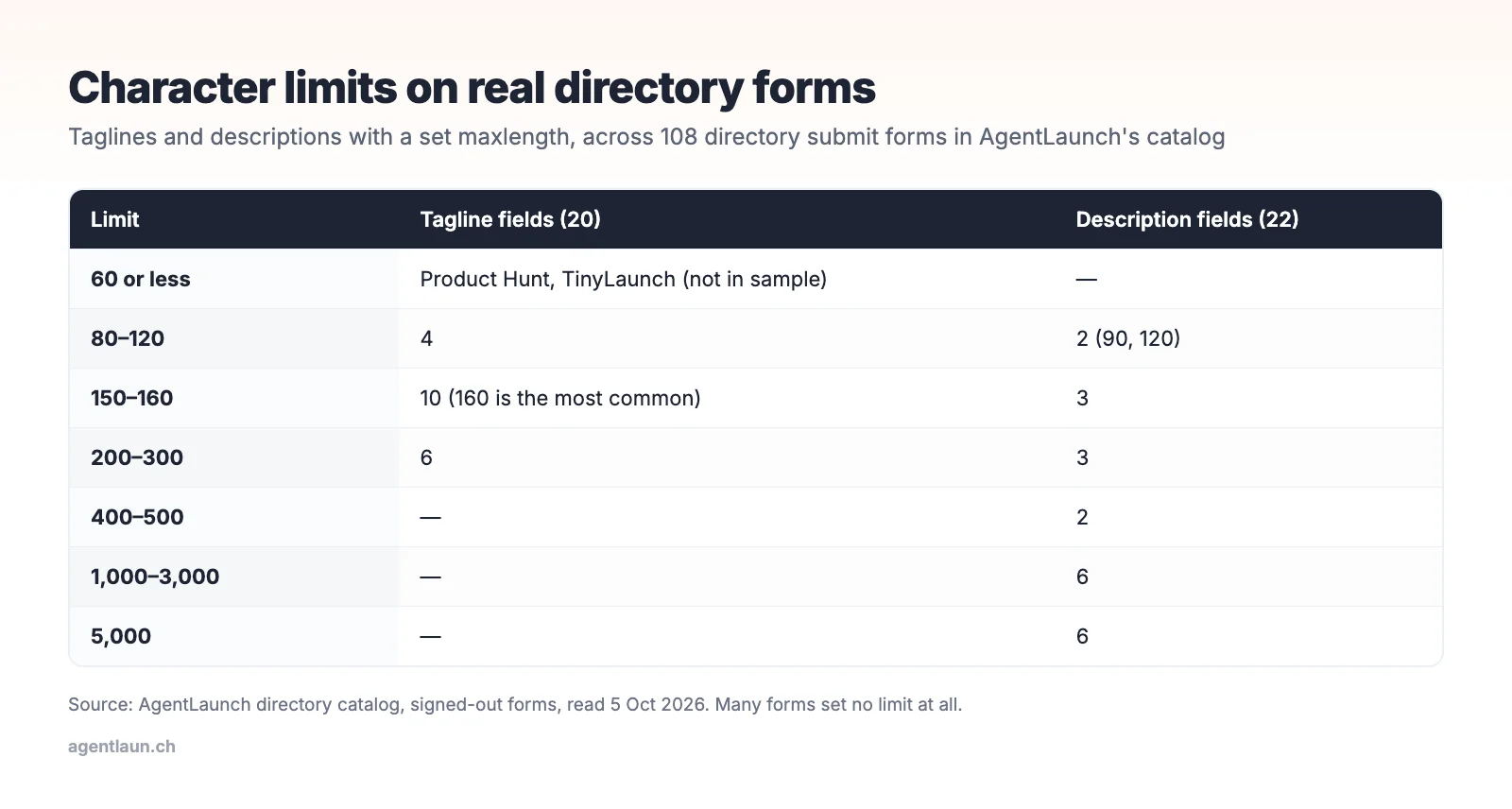
- Taglines: 80 to 300 characters where capped, most often 160. Product Hunt and TinyLaunch use 60.
- Descriptions: 90 to 5,000, with 10 of 22 capped at 500 or less.
- Product names: 30 to 200, most often 100–120.
That's why the kit has four description lengths: 60, 160, 500 and 1,000+ characters cover nearly every form.
Operations
- A dedicated launch email (for example launch@yourapp.com) for directory accounts, so confirmations don't flood your main inbox
- A company-domain email for review sites. G2 and Crunchbase verify vendors by email domain (G2, Crunchbase).
- Password manager entries per site. You'll need them to update listings later.
- UTM links per directory (scheme)
- A tracker: one row per directory with status, dates, live URL and link type (template)
- A badge snippet ready if you'll use free routes that require one. In our catalog, 30% of free routes do.
Friction to plan for
From the same catalog of 394 active directories:
| What you'll hit | How often |
|---|---|
| An account required before the form | 23% of directories where we know |
| A CAPTCHA on the form | 15% |
| A badge or backlink required on the free route | 30% of free routes |
| Google sign-in offered | At least 69 directories |
| GitHub sign-in offered | At least 38 |
| A stated review time of 48 hours or less | 63% of the 65 that state one |
| A stated review time of a week or less | 88% |
Batch the friction: do all the email confirmations, CAPTCHAs and sign-ins in one sitting at the end of each session.
After a listing goes live: check the link
A listing being live doesn't mean the link is followed. In our checks of nearly 500 live listings in October 2026, several launch platforms served nofollow until a condition was met (upvotes, a weekly top-3 finish, or a paid plan), and the big review sites didn't link to vendors at all. Inspect rel when the listing goes live and again a week or two later (how).
Prioritise: which directories first
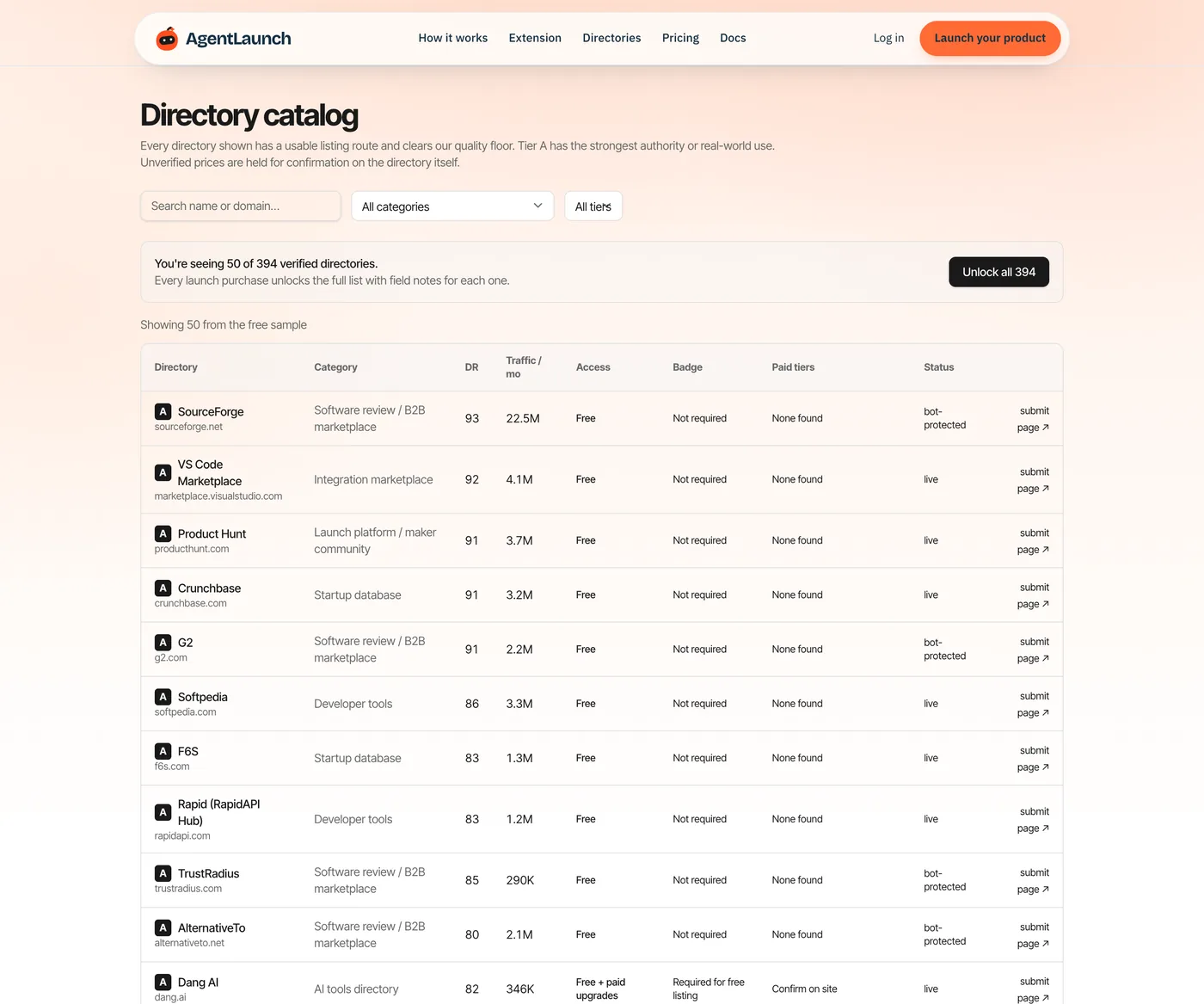
From our catalog of 394 active directories:
| Category | Count |
|---|---|
| AI tools directories | 131 |
| Launch platforms / maker communities | 120 |
| SaaS / startup directories | 50 |
| Software review / B2B marketplaces | 31 |
| Developer tools | 15 |
| Alternatives directories | 12 |
A sensible order:
- Review sites if you're B2B (which first)
- Launch platforms for your launch week (sites like Product Hunt)
- Category-relevant directories (AI, dev tools, SaaS)
- Alternatives sites (AlternativeTo, SaaSHub)
- Everything else only if it passes the quality checks
The master checklist
Copy this into your tracker or notes.
Assets
- Square logo, PNG and SVG, 512 px, transparent
- Icon at 240 × 240 for launch-platform thumbnails
- 3–5 screenshots at 1270 × 760, plus 1600 × 900 versions
- 1200 × 630 social card
- 60–90 second demo on YouTube (public or unlisted)
- All files under 3 MB
Copy
- Tagline at 60 characters
- Short description at 160
- Medium description at 500
- Long description at 1,000+
- First sentence rewritten for developers, founders and B2B buyers
- Pricing summary and a launch discount code
- 1–3 categories and 3–5 tags
- Founder name, role and a one-line bio
Accounts and tracking
- launch@ email for directory accounts
- Company-domain email for review sites
- Password manager folder for directory logins
- UTM scheme, and a note of which directories add their own
refparameter - Tracker with status, dates, live URL, link type and next check
- Badge snippet ready for free routes that need one
Per submission
- Read the site's eligibility rules (B2B only? dev tools only? SaaS only?)
- Search for an existing listing before creating a new one
- Choose the narrowest honest category
- Record the date and the route (free, badge, paid)
- Set "next check" to the stated review time plus two days
After it's live
- Inspect
relon your link; record it - Re-check
rel7–14 days later - Add the live URL to your tracker
- Check referral signups after 30 days
Maintenance schedule
| When | What |
|---|---|
| Weekly (20 minutes) | Clear the "needs you" pile; update statuses; add the next five directories |
| Monthly | Referral signups by source; drop directories that sent nothing after 60 days from your next-wave list |
| Quarterly (30 minutes) | Update pricing, screenshots and descriptions on your top 10–15 listings; re-check link types (guide) |
| On any big change | Name, domain or pricing change: update every listing within two weeks |
Pace
There's no magic number, but steady and relevant beats a burst of 200 in a day. Submit to sites you'd be happy for a customer to find you on. Track rejections and fix the cause (common reasons).
A worked example: one afternoon, 15 directories
With the kit ready, a realistic first session looks like:
| Time | Directories | Notes |
|---|---|---|
| 0:00–0:30 | 3 review sites (G2, Capterra, TrustRadius) | Company-domain email; claim existing profiles |
| 0:30–1:15 | 5 launch platforms (free routes) | Same tagline and gallery; badge added once |
| 1:15–2:00 | 5 category directories | Rewrite first sentence per audience |
| 2:00–2:30 | 2 alternatives sites | Name the incumbents you replace |
| 2:30–3:00 | "Needs you" batch | Email verifications and CAPTCHAs in one go |
Average time per directory: about 10 minutes, including reading the form. Without the kit, it's usually 25–40 minutes, most of it spent hunting for logos, rewriting descriptions to fit limits, and recovering logins.
Related
- Best startup directories and dofollow directories for startups
- Automated directory submission. AgentLaunch uses this kit: your AI agent in Claude Code, Codex or Cursor fills the forms and hands you CAPTCHAs and payments.
FAQ
What do I need to submit my SaaS to directories? A logo, screenshots, a social card, a demo video, a tagline and three description lengths, a launch email, UTM links and a tracker.
How many directories should I submit to? As many relevant, quality directories as you can track. For most SaaS that's 20–60, not hundreds.
What image sizes do directories need? A square logo (512 px), screenshots at 1270 × 760 or 1600 × 900, and a 1200 × 630 social card cover almost all forms.
What's the most common character limit on directory forms? For taglines, 160 characters (10 of 20 forms with a limit). For descriptions, it varies from 90 to 5,000; 10 of 22 capped it at 500 or less.
How long do directories take to approve a listing? Of the 65 directories in our catalog that state a review time, 63% promise 48 hours or less and 88% a week or less.