Field notes
Product Hunt Image Sizes: Gallery 1270×760, Thumbnail 240×240, Under 3 MB
Product Hunt image specs: 1270 × 760 gallery (2+ required), 240 × 240 thumbnail, under 3 MB, YouTube-only video, plus every other field rule (no UTM links), how specs compare on other launch platforms, and gallery mistakes.
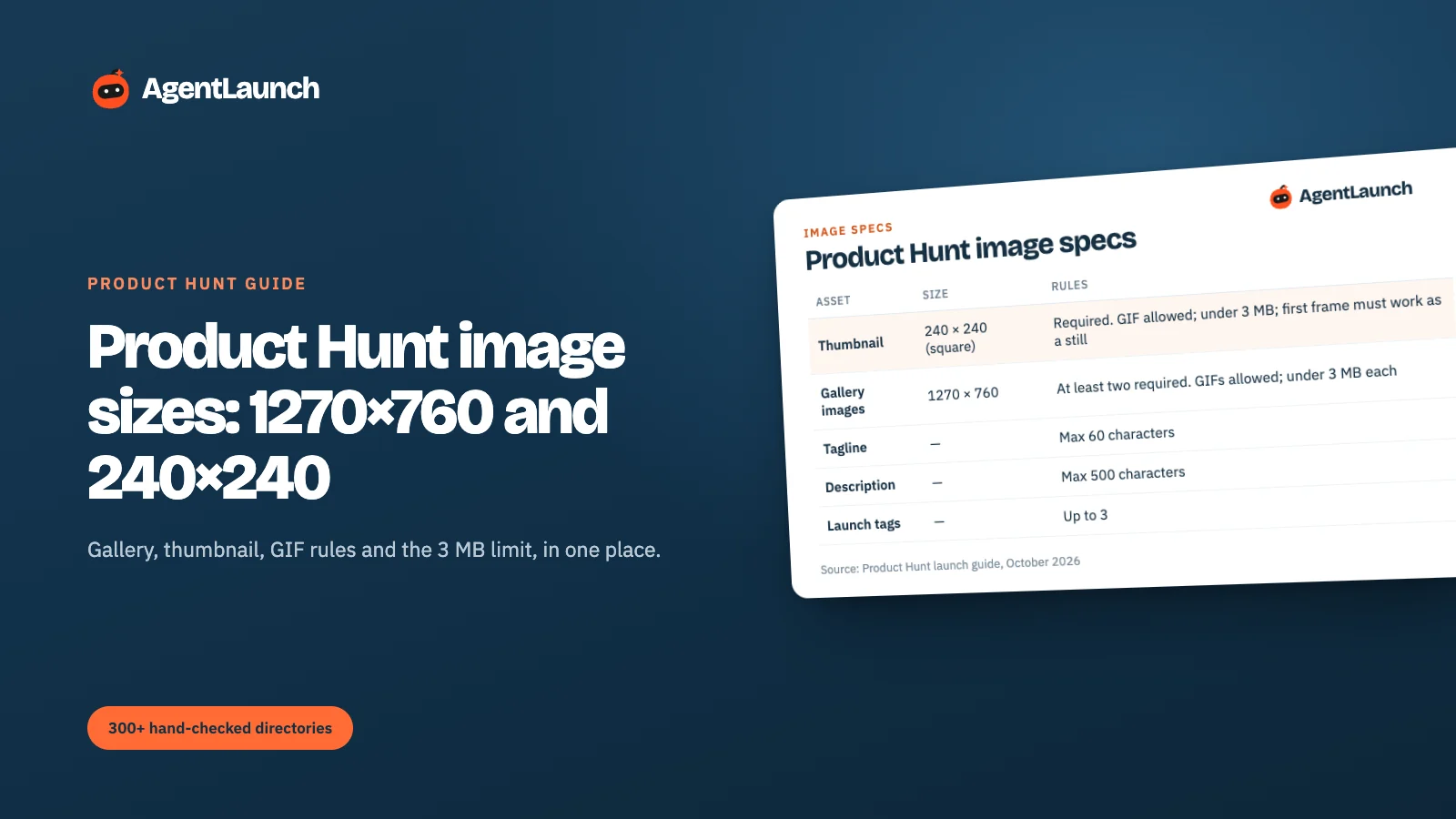
Product Hunt recommends 1270 × 760 pixels for gallery images (at least two are required) and a square 240 × 240 thumbnail. GIFs are allowed for both, but every image, GIF or not, must be under 3 MB. The other limits that affect visuals and copy: a 60-character tagline, a 500-character description and up to 3 launch tags.
Below: the full spec table, how to design gallery images that get clicks, and the GIF mistakes that get edited by Product Hunt. Specs are from Product Hunt's launch guide, checked October 2026.
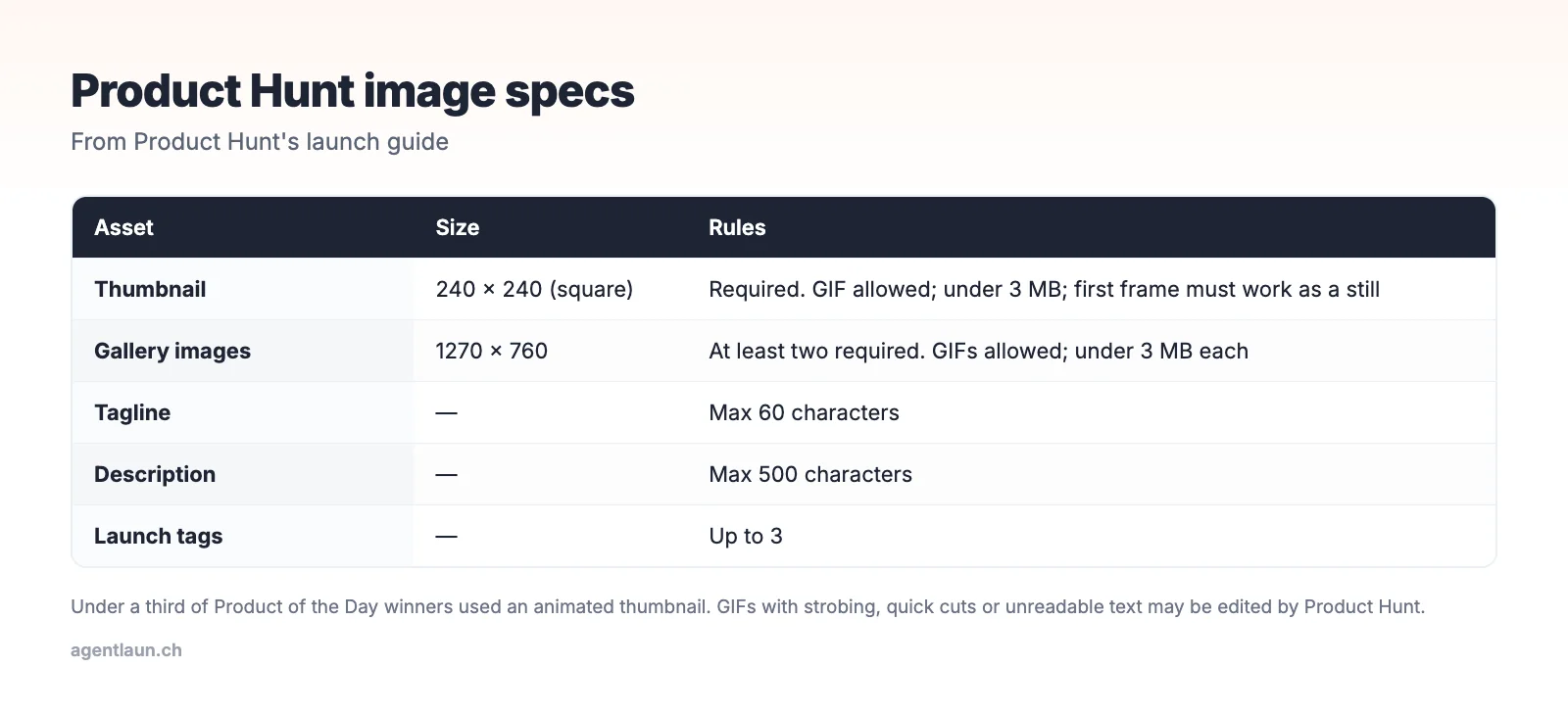
The specs
| Asset | Size | Required | Notes |
|---|---|---|---|
| Thumbnail | 240 × 240 (square) | Yes | GIF OK, under 3 MB. GIFs don't autoplay everywhere, so the first frame must work as a still |
| Gallery images | 1270 × 760 | At least 2 | GIF OK, under 3 MB each. Add as many as the product needs |
| Tagline | 60 characters | Yes | No gimmicks or over-the-top language |
| Description | 500 characters | – | Value proposition and features |
| Launch tags | Up to 3 | – | Help you appear on Product Hunt's tag pages |
Thumbnail: still or GIF?
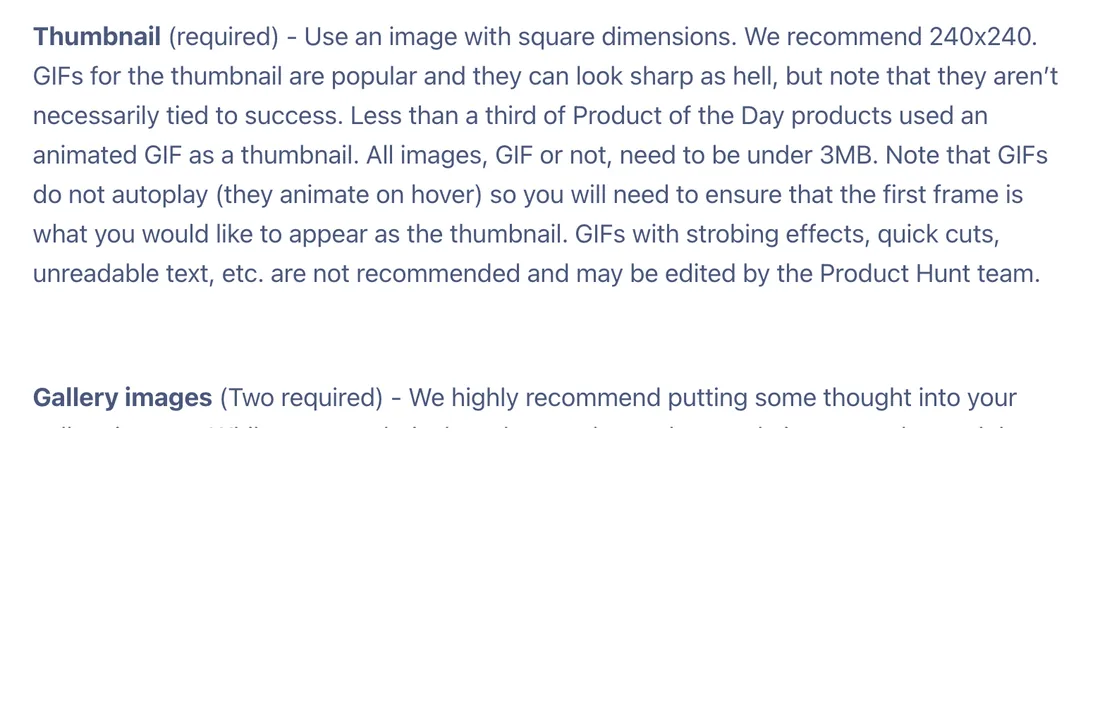
Product Hunt notes that fewer than a third of Product of the Day products used an animated GIF thumbnail. Animation doesn't win on its own. What does:
- A logo mark that reads at 48 pixels (the size in lists), not a wordmark
- High contrast against white and dark backgrounds
- If you use a GIF, a first frame that works on its own, because GIFs don't autoplay everywhere
Product Hunt also warns that GIFs with strobing effects, quick cuts or unreadable text are not recommended and may be edited by Product Hunt.
Gallery: what to put in the 1270 × 760 frames
Think of the gallery as a five-slide pitch:
- The outcome: the product doing its main job, with a one-line headline. This frame shows in previews.
- How it works: 2–3 steps, real UI.
- The key feature in detail: a zoomed, annotated screenshot.
- Proof: a metric, a customer quote you have permission to use, or an integration list.
- Pricing or call to action: "Free for teams under 5".
Design at 2× (2540 × 1520) and export at 1270 × 760 so text stays sharp, and keep each file under 3 MB. Keep text large: people view these on phones.
Video
Product Hunt says a video was included in about 53% of Product of the Day winners since 2021. It's optional, but common at the top. The rules:
- YouTube links only, using the full URL (no shortened links).
- Not private. Product Hunt won't accept a private video.
You can add a YouTube video to the gallery. Keep it under two minutes, show the product in the first 5 seconds, and add captions, because many people watch muted.
The other fields that trip people up
The visuals aren't the only fields with rules. From Product Hunt's launch guide:
| Field | Rule |
|---|---|
| Product name | No descriptions or emojis unless they're part of the official name |
| Tagline | Max 60 characters, no gimmicks or over-the-top language |
| Description | Max 500 characters |
| Launch tags | Up to 3 |
| Website URL | No shortened links (bit.ly) and no tracking links (UTM parameters) |
| X handle | Optional; the product's handle is preferred over a personal one |
| Scheduling | Up to 1 month in advance |
The URL rule matters for measurement: you can't put a UTM-tagged link in the website field. Product Hunt adds its own ?ref=producthunt to outbound links, so filter your analytics on that instead. The "Visit website" link also carries rel="ugc", so treat it as traffic, not an SEO link.
How specs compare on other launch platforms
| Platform | Images | Text limits | Notes |
|---|---|---|---|
| Product Hunt | 2+ gallery images, 1270 × 760; 240 × 240 thumbnail; under 3 MB each | Tagline 60, description 500 | YouTube video optional |
| TinyLaunch | Logo required, up to 3 images | Name 30, tagline 60 | Weekly launches |
| Uneed | Scraped from your site's Open Graph image and logo | Edited after scraping | Fix your site metadata first |
| Fazier | Thumbnail plus gallery | Name, tagline, description | Square thumbnail matters at small sizes |
Design the gallery once at 1270 × 760 and crop variants from it, and every launch platform is covered.
Gallery mistakes that get edited or ignored
- Text too small to read at the size Product Hunt displays.
- A logo as the first gallery image. Lead with the product doing the job.
- GIFs over 3 MB. They fail to upload or get compressed badly.
- A first frame that's blank on a GIF thumbnail.
- Device mockups that hide the UI. Show the screen, not the phone.
- Inconsistent sizes that make the carousel jump.
Pre-launch checklist
- Thumbnail 240 × 240, under 3 MB, readable at small sizes
- 2+ gallery images at 1270 × 760, each under 3 MB
- First gallery image shows the product's main outcome
- Tagline under 60 characters (how to write one)
- Description under 500 characters
- Up to 3 launch tags chosen
- First comment drafted (template)
A gallery that tells the story
Five frames, each with one headline in large text and one screenshot:
| Frame | Headline example | Shows |
|---|---|---|
| 1 | "Call notes, written for you" | A finished summary in the CRM |
| 2 | "Join the call. That's it." | The calendar connection screen |
| 3 | "Next steps, objections, budget" | A zoomed, annotated summary |
| 4 | "Works with Zoom, Meet, HubSpot" | Integration logos and setup |
| 5 | "Free for 10 calls a month" | Pricing and the call to action |
Frame 1 matters most: it's the preview people see first. Show the outcome, not your logo.
Export settings that keep files under 3 MB
- Export PNG for UI screenshots with lots of text, or high-quality JPG/WebP for photographic images
- Design at 2540 × 1520, export at 1270 × 760
- For GIFs: limit to 10–15 fps, under 10 seconds, and a reduced colour palette. A short screen recording converted badly will blow past 3 MB.
Related
- How to launch on Product Hunt
- Product Hunt launch without an audience
- SaaS launch press kit: reuse the same assets for press and directories
- AgentLaunch's catalog, which lists image sizes and limits for each directory, so one asset set covers dozens of listings
FAQ
What size are Product Hunt gallery images? 1270 × 760 pixels is recommended. At least two are required.
What size is the Product Hunt thumbnail? Square, 240 × 240 recommended.
What's the file size limit on Product Hunt images? Under 3 MB for every image, including GIFs.
Can I use a GIF on Product Hunt? Yes, for the thumbnail and gallery, under 3 MB. Avoid strobing, quick cuts and unreadable text.
Can I use a UTM link on Product Hunt?
No. Product Hunt doesn't accept shortened or tracking links in the URL field. It adds ?ref=producthunt to outbound clicks, which you can filter on in analytics.
Do Product Hunt winners use video? Often. Product Hunt says about 53% of Product of the Day winners since 2021 included a video. It must be a public or unlisted YouTube link.