Field notes
How to List Your SaaS on SaaSworthy: Free Standard Listing and SW Score
SaaSworthy lists SaaS products for free with a short Standard form. How to submit, how the SW Score works, what paid placements add, and why you shouldn't count on a link from it.
SaaSworthy lists SaaS products for free. Start from its listing page, choose the Standard (free) option, and submit a short form: name, business email, phone, company name, website URL and funds raised to date. SaaSworthy is only for SaaS, and its disclaimer says so: "This listing is exclusively available to SaaS products." Paid plans add placement on the homepage, category and alternatives pages, and lead targeting.
SaaSworthy tracks 75,000+ products across 600 categories and gives each one an "SW Score". Here's how to get listed, how the score works, and what the paid tiers add. Checked in October 2026.
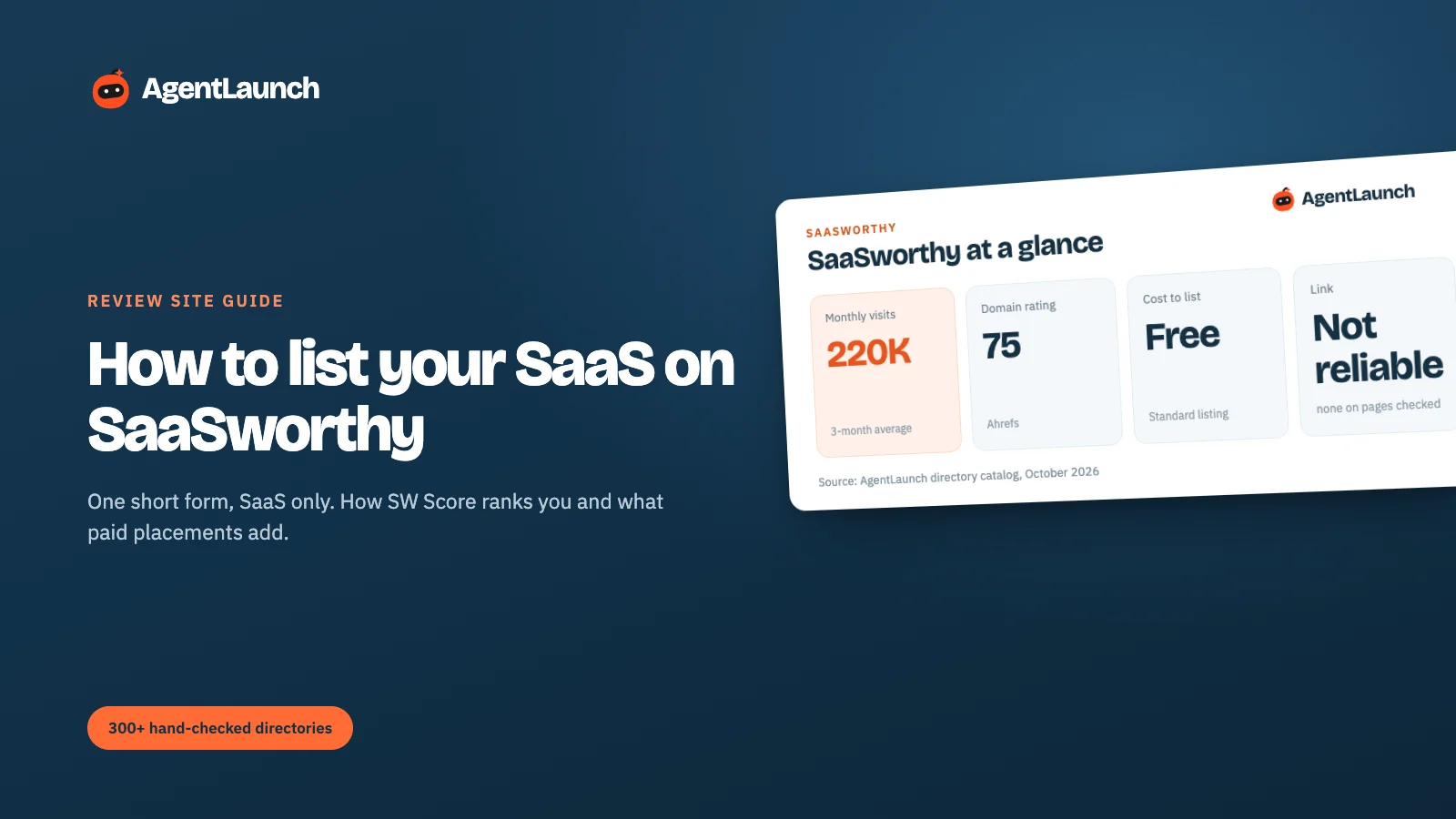
SaaSworthy at a glance
| SaaSworthy | |
|---|---|
| Start | saasworthy.com → list your product (or the Vendors Portal) |
| Free option | Standard listing |
| Form fields | Name, business email, phone number, company name, website URL, funds received to date |
| Eligibility | SaaS products only |
| Vendor portal login | Email one-time password (OTP) |
| Paid plans | Homepage, category and alternatives placements, managed lead targeting |
| Domain Rating | 75 (our Ahrefs check) |
| Traffic | ~220,000 visits/month (3-month SimilarWeb average) |
| Link to your site | Not reliable: no link on the pages we could open on 5 Oct 2026; an earlier catalog check saw a dofollow link |
What SaaSworthy is
SaaSworthy is a SaaS-only discovery site. It tracks 75,000+ products across about 600 categories and ranks each category by its own SW Score. Its pages are built for comparison shoppers: category lists, "[product] alternatives", "[product] vs [product]" and pricing pages, many of which rank in Google.
The business model is placements and leads. The free Standard listing gets you in; paid plans buy positions on the homepage, category, alternatives and comparison pages, plus "in-market targeting" (managed clicks and leads).
Step 1: submit the Standard listing
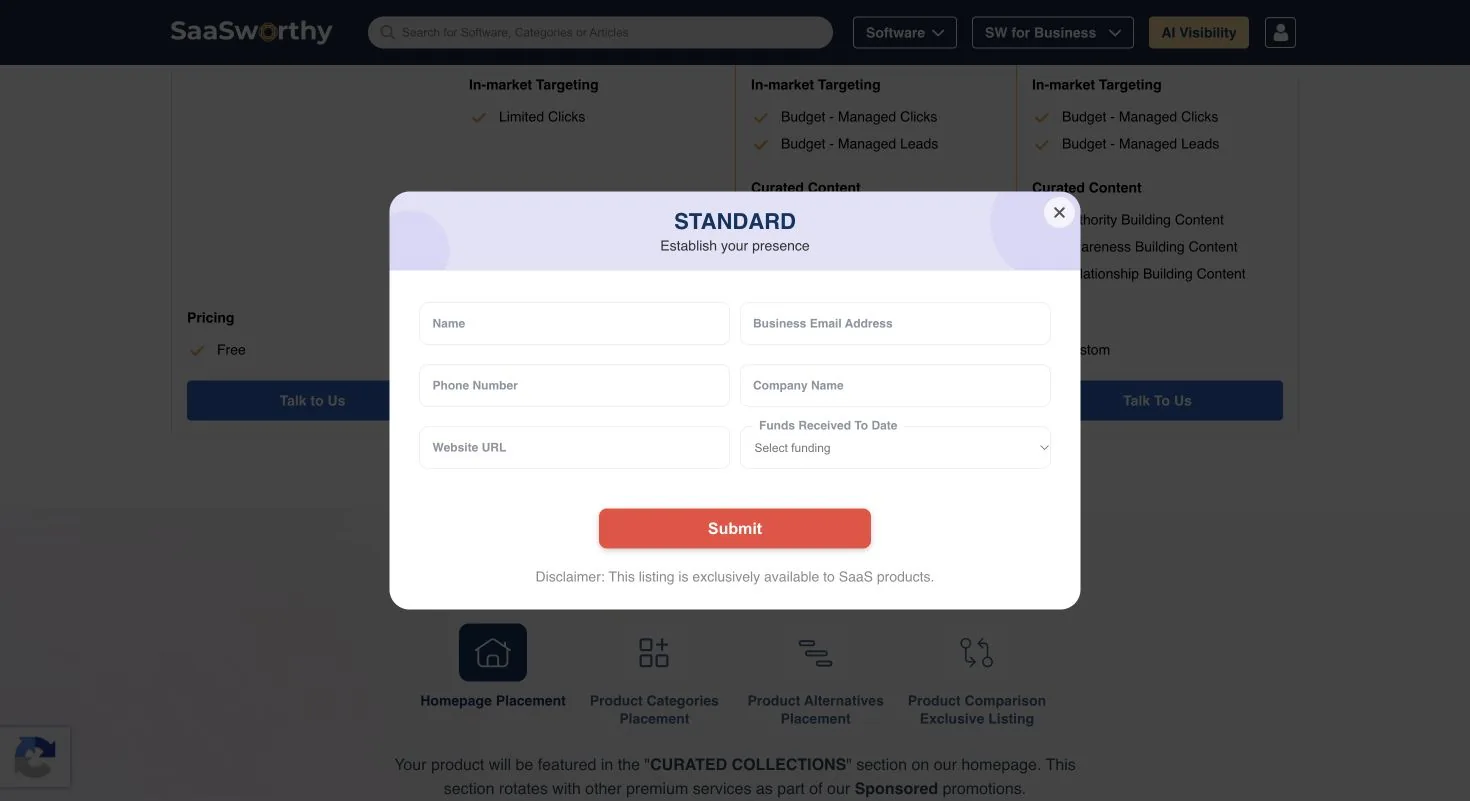
The free Standard form asks for:
- Name and business email. Use your company domain.
- Phone number. SaaSworthy's team uses it to verify you and pitch paid plans.
- Company name and website URL.
- Funds received to date. A dropdown. "Bootstrapped" is a normal answer.
After submitting, SaaSworthy creates or verifies your profile and gives you vendor portal access. The portal uses an email one-time code instead of a password.
Step 2: fill in the profile, which drives your SW Score
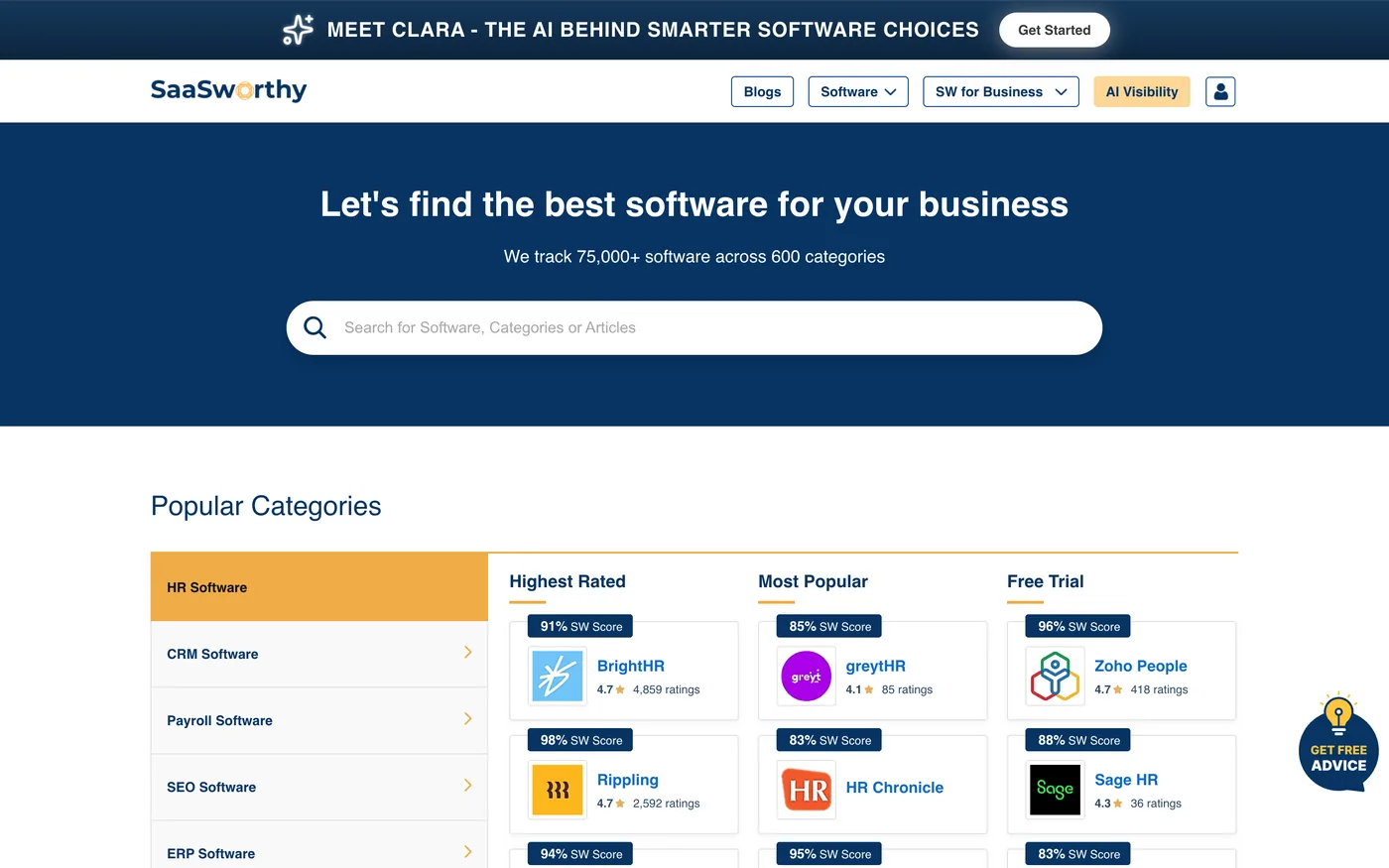
Every product gets an SW Score (for example 91%, 94% and 98% for the leaders in HR software). SaaSworthy calculates it from signals about each product, and the products at the top consistently have complete profiles and many ratings. To raise yours:
- Complete every field: features, integrations, pricing plans, screenshots, video, and the alternatives you compete with.
- Collect reviews. SaaSworthy shows rating counts next to the score, and the top products have thousands.
- Keep pricing accurate. SaaSworthy's comparison pages lean heavily on it.
Free vs paid
The paid tiers are marketing placements, not a different listing:
| Placement | What it does |
|---|---|
| Homepage placement | Shown in curated collections on the homepage |
| Product categories placement | Higher position in your category lists |
| Product alternatives placement | Shown on competitors' "alternatives" pages |
| Product comparison exclusive listing | Featured on comparison pages |
| In-market targeting | Budget-managed clicks and leads |
Pricing is quoted after a call. Our view: do the free Standard listing now, and only consider paid placement once you have reviews, since a promoted profile with no ratings converts badly.
Is SaaSworthy worth it?
Yes, as a free listing. It's a 75-DR buyer directory with comparison pages that rank in Google and a 5-minute form. Don't count on a link (see below). Paid tiers depend on whether your category pages on SaaSworthy rank for your buyers' searches. Check that first.
Does SaaSworthy link to your site?
We couldn't confirm one. On 5 October 2026 we opened the Asana and other product pages in a browser and found no clickable link to the vendor's own site, only "Get Started" buttons pointing to SaaSworthy's own AI product. SaaSworthy now blocks scripted checks, so we couldn't test smaller listings at scale. An earlier check in our catalog did record a dofollow link on a listing, so the answer may depend on listing type or plan.
Treat a link as a bonus, not the reason to list. Here's how SaaSworthy compares with the other big review sites:
| Site | DR | Visits/month | Free profile | Link to your site (our check, 5 Oct 2026) | Paid options |
|---|---|---|---|---|---|
| G2 | 91 | ~2.25M | Yes | No clickable link on the profile we checked | Profile upgrades, buyer intent |
| TrustRadius | 85 | ~290K | Yes | CTA buttons only on paid profiles (followed on the ones we saw) | Premium profile |
| SoftwareSuggest | 77 | ~358K | Yes | "Visit Website" buttons are sponsored nofollow ad links |
Gold, Platinum, pay per lead |
| SaaSworthy | 75 | ~220K | Yes | No link on the pages we could check | Placements, lead targeting |
| SaaS Browser | 74 | ~13K | Claim | "Visit" goes through a nofollow redirect |
Data plans |
| SourceForge | 93 | ~22.5M | Yes | No direct link on the business listing we checked | Promotion |
| Crunchbase | 91 | ~3.2M | Yes | nofollow |
Pro data subscription |
Pros and cons
Pros
- Free Standard listing in a 5-minute form.
- SaaS-only, so the audience is SaaS buyers.
- Comparison, alternatives and pricing pages that rank in Google.
- SW Score rewards a complete profile and reviews.
Cons
- No reliable link to your site.
- Phone number required, and sales follow-up for paid plans.
- Paid placements are priced after a call.
- 75,000+ products means you need reviews to surface.
Common mistakes on SaaSworthy
- Listing a non-SaaS product. The form says SaaS only.
- Leaving pricing out. Comparison pages lean on it.
- No alternatives listed. You miss appearing on competitors' alternatives pages.
- Paying for placement with no reviews. A promoted profile with no ratings converts badly.
A complete profile, field by field
| Section | What to add | Why it matters |
|---|---|---|
| Overview | 2–3 paragraph description, who it's for | First thing buyers read |
| Features | 10–20 features in buyer language | Used in comparisons and filters |
| Integrations | Every real integration | Buyers filter by their stack |
| Pricing | All plans with prices, trial and free tier | Comparison pages lean on it |
| Screenshots and video | 4–6 screenshots, one short demo | Proof that the product exists and looks credible |
| Alternatives | The 3–5 products you compete with | Places you on their alternatives pages |
Getting reviews on SaaSworthy
SaaSworthy shows ratings next to the SW Score, and products with more ratings sit higher. Ask a few happy customers for a review here only after you've concentrated your first reviews on a bigger platform (first reviews plan). Smaller sites are good second homes for reviews, but rarely the first.
Related
- SoftwareSuggest and SaaS Browser: similar SaaS directories
- B2B software review sites, the bigger review platforms
- SaaS listing websites, our full list
- AgentLaunch's catalog, which records each directory's eligibility rules (like SaaS-only) before you start a form
FAQ
Is SaaSworthy free? Yes. The Standard listing is free. Paid plans add placements and lead generation.
Can I list a non-SaaS product on SaaSworthy? No. The listing form states it's exclusively for SaaS products.
What is SW Score? SaaSworthy's own percentage score for ranking products within a category. Complete profiles with more ratings sit at the top.
Does SaaSworthy give a dofollow backlink? Not reliably. We found no link to the vendor on the pages we could check in October 2026, though an earlier check saw one.