Vibe coding growth guidesSEO and backlinks
Vibe-Coded Website SEO: The Checklist for Apps Built with Cursor, Claude Code and v0
Twelve SEO checks for apps built with Cursor, Claude Code or v0, from what Googlebot sees to sitemaps, Core Web Vitals and first listings, each with a paste-in prompt.
 By Pruthvi RajNovember 23, 2026
Vibe-coded website SEO starts with one check: open your page's raw HTML and see if your headline and copy are in it. If all you find is an empty <div id="root">, fix rendering before anything else.
Quick answer:
- Confirm Google gets real HTML, with curl or Search Console's live test.
- Give every route its own title, description, canonical and share tags.
- Ship a sitemap and robots.txt, then submit the sitemap to Google and Bing.
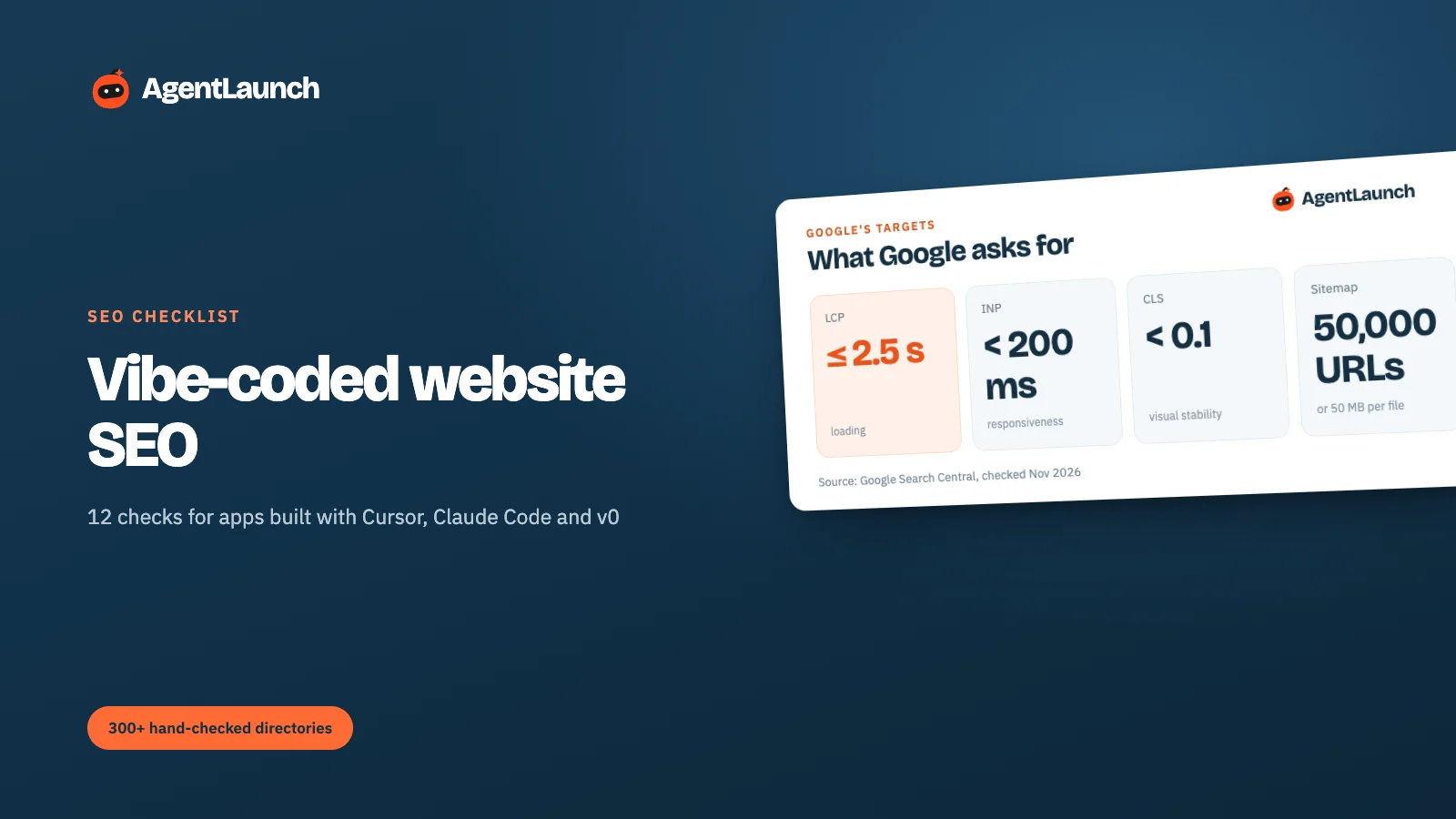
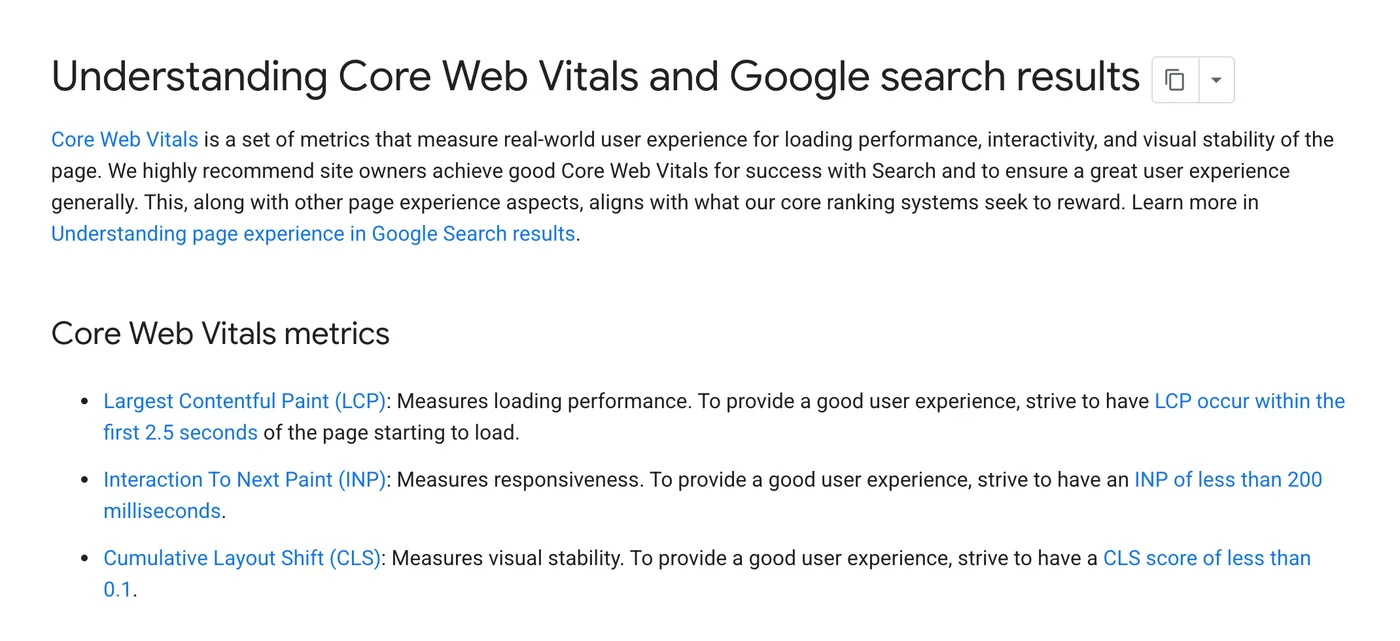
- Hit Google's Core Web Vitals targets: LCP 2.5 s, INP 200 ms, CLS 0.1.
- Then earn your first links from listings that fit your product.
Lovable, Replit and Bolt now run SEO checks for you. Cursor, Claude Code and v0 don't, so each step below ends with a prompt for your coding agent.
What you'll need
| Tool | What it's for | Cost |
|---|---|---|
| Your coding agent | Runs each fix from the prompts | Your current plan |
| A custom domain | Visibility on a domain you own | Registrar fee |
| Google Search Console | Indexing, sitemaps, URL Inspection | Free |
| Bing Webmaster Tools | Bing indexing | Free |
| PageSpeed Insights | Core Web Vitals per URL | Free |
| A terminal with curl | The raw HTML a crawler gets | Free |
Step 1: See what Google gets from your vibe-coded website
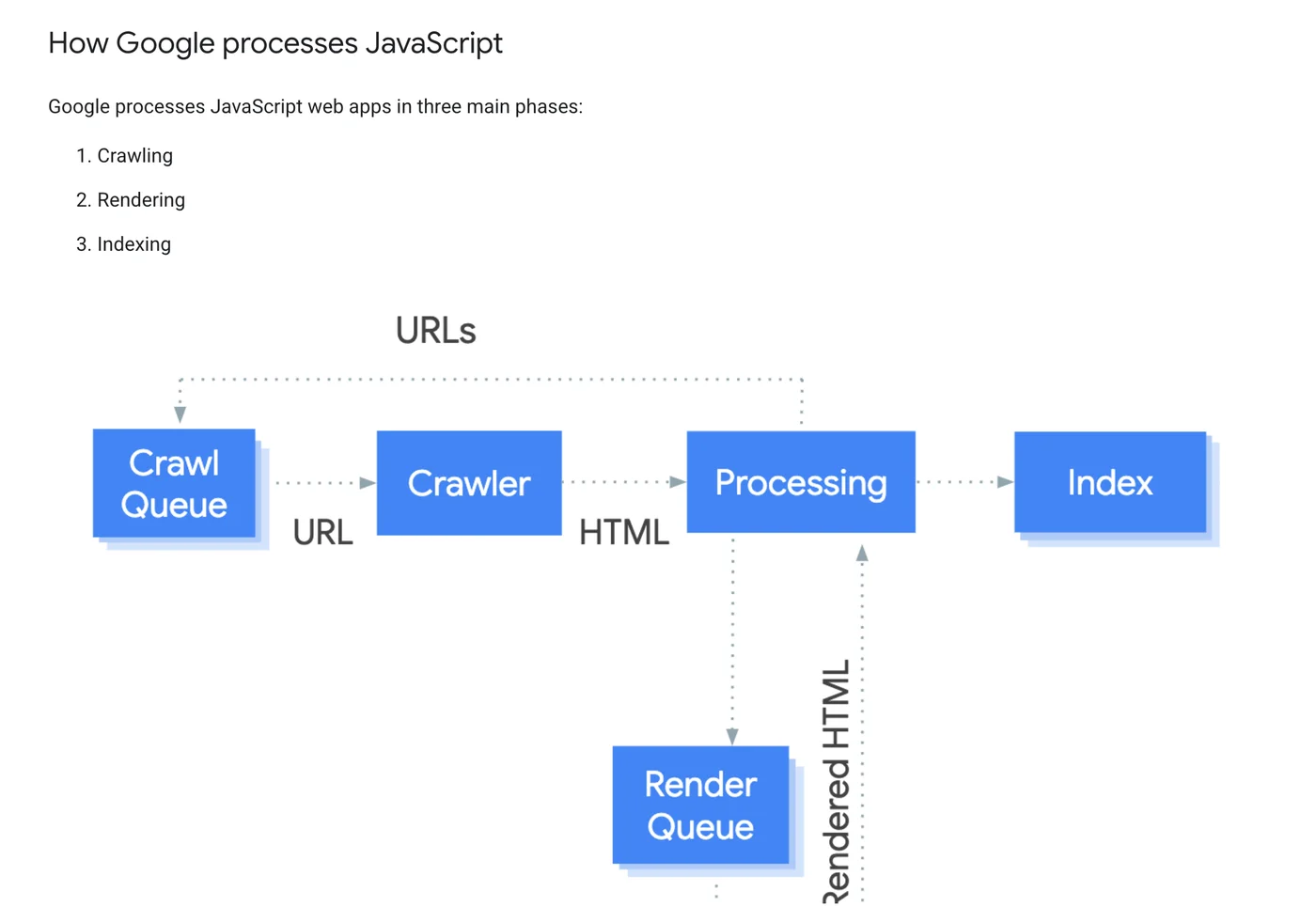
Google crawls, renders, then indexes JavaScript apps. Google's JavaScript SEO guide says the render queue can take longer than a few seconds.
Check the raw HTML
Run this on two or three routes, including one deep page:
curl -s https://yourdomain.com/pricing | grep -iE "<title>|<h1|<meta name=\"description\""
See your real title and H1? You're fine. A generic title and no H1 means a client-rendered single-page app, or SPA.
Browser "View source" shows the same thing. DevTools Elements doesn't, because it shows the page after JavaScript ran.
Check Google's own view
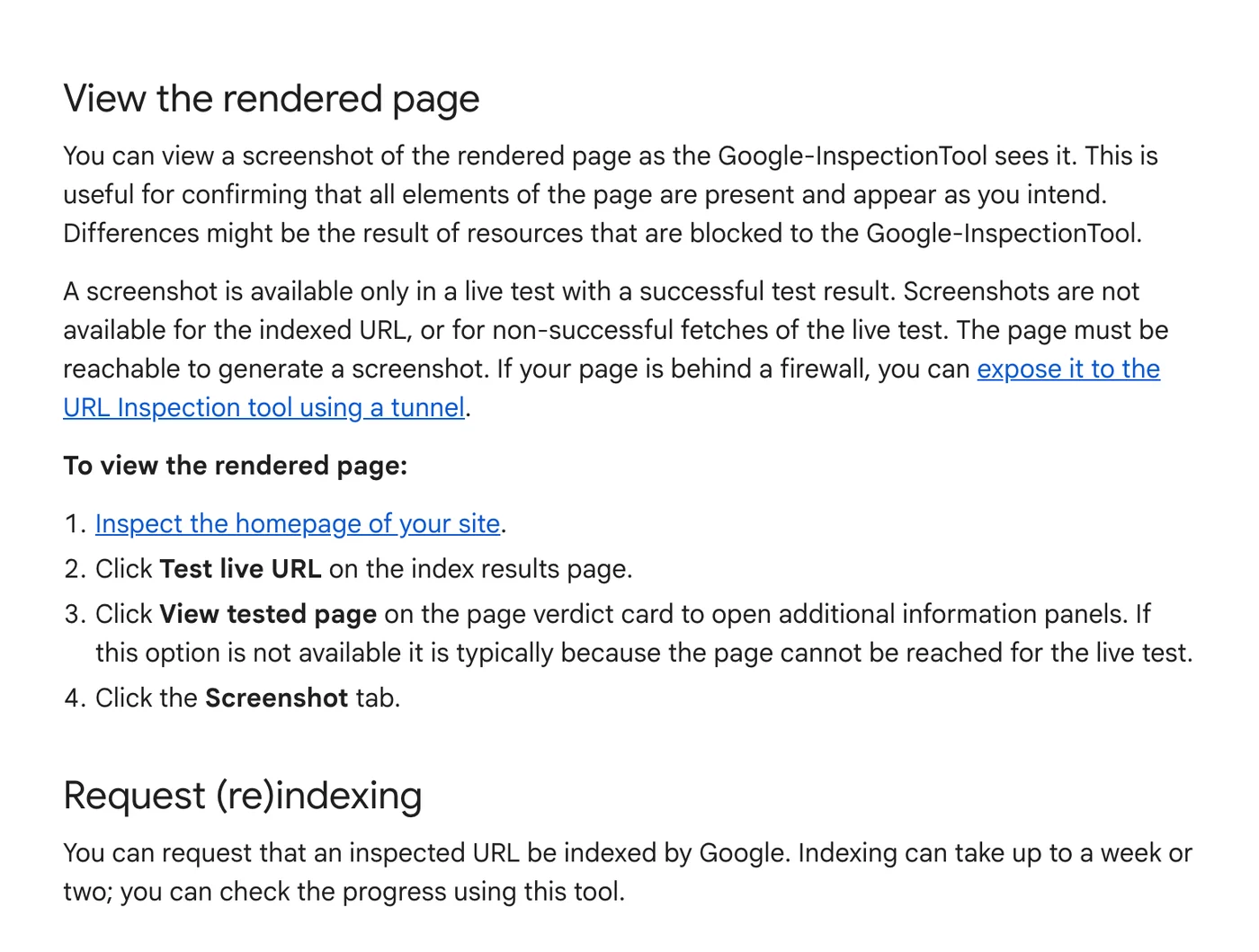
In Search Console, inspect the URL and click Test live URL. Then open View tested page and the Screenshot tab, which Google's help page says shows the page as its crawler sees it.
A blank or partial screenshot means Googlebot can't render something, often a blocked script or a failing API call.
Prompt for Claude Code or Cursor:
Build for production, serve it locally and curl every public route. Tell me
which routes have the real <title>, H1 and copy in the raw HTML. Output a table
of route, rendering mode, title yes/no, H1 yes/no. Don't change code yet.
Step 2: Fix rendering (SPA vs SSR vs static)
Google calls dynamic rendering, serving bots a different version, a workaround. It recommends server-side rendering, static rendering or hydration instead.
| Setup | What crawlers get | Fix |
|---|---|---|
| Static or prerendered | Full HTML per route | Nothing |
| Server-rendered (Next.js, Remix) | Full HTML per request | Check per-route metadata |
| Client-rendered SPA (Vite + React) | Empty shell until JS runs | Prerender public routes |
v0 and Next.js
v0 defaults to Next.js, so it usually renders on the server. Typical v0 SEO problems are content loaded late by client components, one shared title, or a site only on vercel.app.
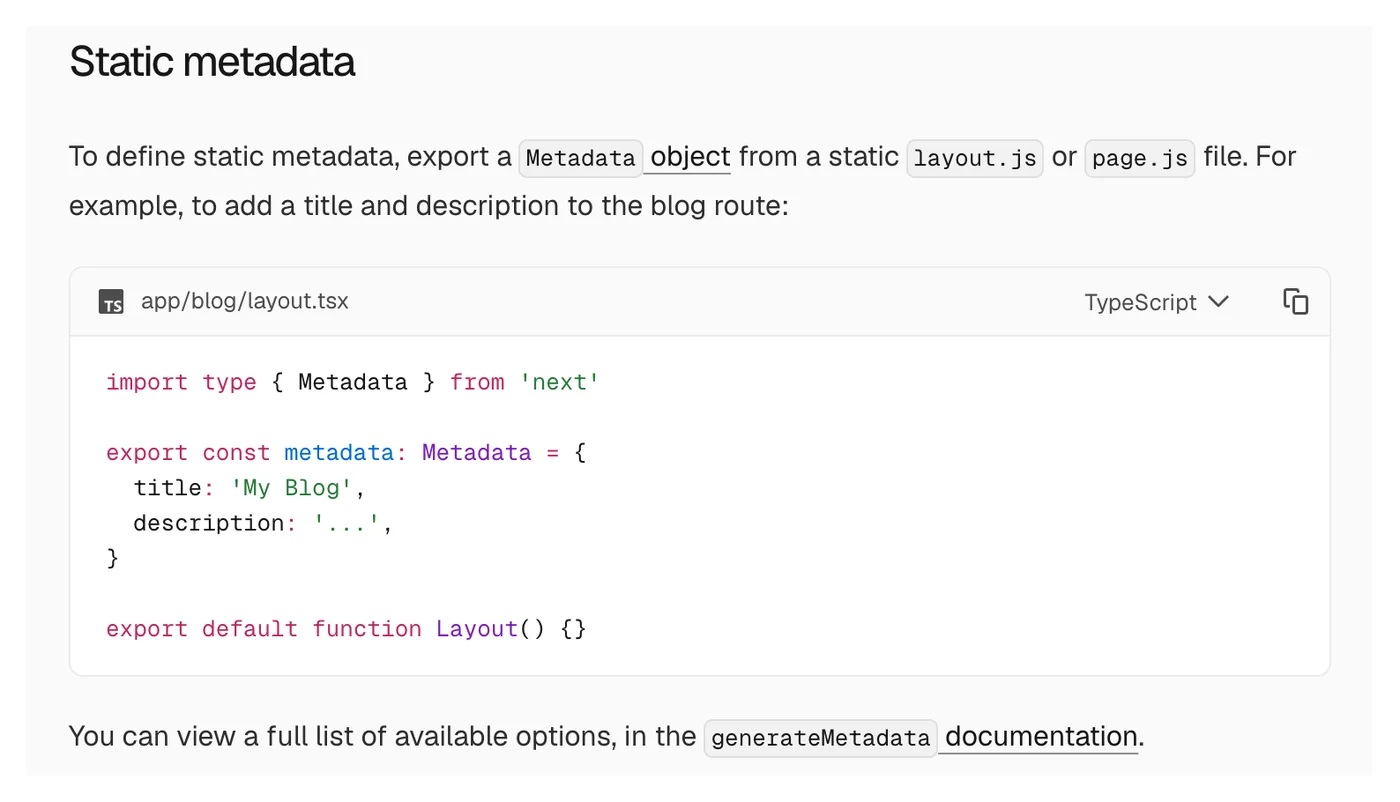
Per the Next.js metadata docs, metadata and generateMetadata work only in Server Components. A page marked "use client" can't set its own title that way.
Cursor and Claude Code (Vite + React)
Claude Code website SEO and Cursor SEO problems usually come from the scaffold: a Vite + React SPA ships one index.html for every route.
You don't need a rewrite. Only public pages need real HTML, not the dashboard. React Router's framework mode can prerender chosen paths with a prerender setting.
Lovable, Bolt and Replit
These now handle rendering for you:
- Lovable: apps created from May 13, 2026 are server-rendered; older ones are prerendered for verified crawlers.
- Bolt: Bolt Cloud has prerendered automatically since August 2025.
- Replit: rates SEO after every publish, with an SEO Agent on paid plans.
Our guides to Lovable SEO, Bolt.new SEO and Replit SEO cover each one.
Prompt (Vite + React SPA):
Prerender our public routes at build time with the smallest change, for example
React Router framework mode with `prerender`. Keep the dashboard client-rendered.
Show the plan first. Then rebuild and curl each route to confirm the H1 is there.
Step 3: Titles, meta descriptions and canonicals for every route
Google asks for a unique, descriptive title and meta description on every page. There's no hard character limit; Google cuts titles to fit the device.
For canonicals, Google treats redirects and rel="canonical" as strong signals and sitemap inclusion as a weak one. Check these:
- A self-referencing canonical on every canonical page.
- The same URL in the sitemap and the canonical.
- On
vercel.app,lovable.appor preview URLs, every canonical tag points at your own domain.
Prompt:
Give every public route a unique <title> (keyword first, brand last), a
one-sentence meta description and an absolute canonical on https://yourdomain.com.
Render them into the server or prerendered HTML. List them in a table for review.
Step 4: Open Graph and X cards
Share previews show when your link lands in Slack, LinkedIn, X or iMessage. Uneed even fills its listing from your Open Graph image.
- Set the four basic Open Graph tags:
og:title,og:type,og:image,og:url. - Add
twitter:cardset tosummary_large_imagefor a big preview. - Keep images under 5 MB, in JPG, PNG, WEBP or GIF. X doesn't take SVG.
X falls back to Open Graph tags when a twitter: tag is missing.
Prompt:
Add og:title, og:description, og:type, og:url (matching the canonical), og:image
(absolute, under 5 MB, not SVG) and twitter:card = summary_large_image to every
public route. Use one default image plus custom ones for home and pricing.
Step 5: Sitemap and robots.txt
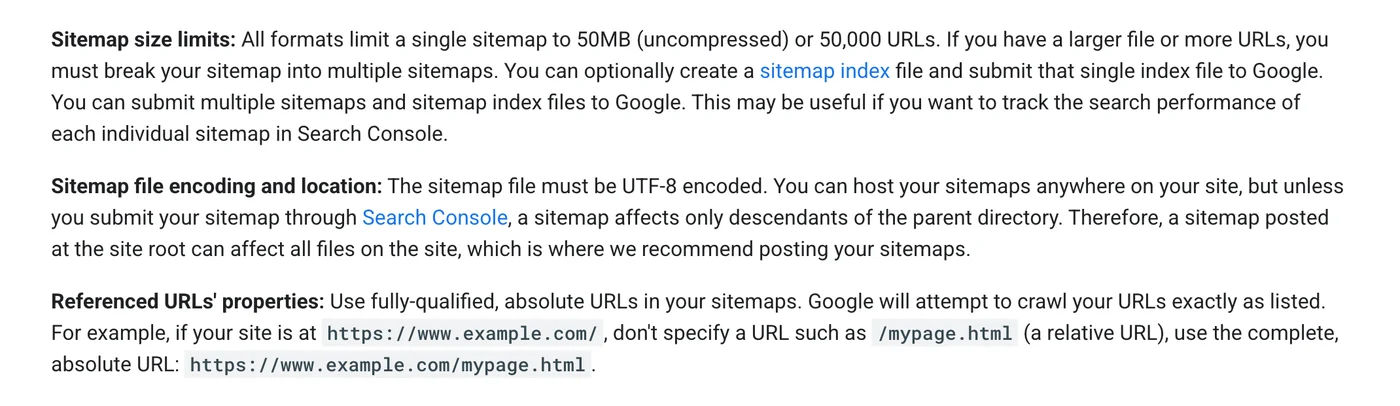
One sitemap can hold up to 50,000 URLs or 50 MB, with absolute URLs only, per Google's sitemap rules. It's a hint, not a command. Set <lastmod> only for real changes.
robots.txt controls crawling, not indexing. To keep a page out of Google, use noindex or a password. The classic vibe-coding failure is a Disallow: / or noindex left over from staging.
Prompt:
Generate /sitemap.xml from the public routes and blog posts, with absolute URLs
and no app, auth or API routes. Create /robots.txt that disallows /app/ and /api/
and lists the sitemap. Report any leftover noindex or Disallow: / in the code.
Step 6: Structured data basics
Structured data tells Google what a page is about and can make it eligible for rich results. Google's structured data guide recommends JSON-LD and says a feature needs all its required properties.
Start with Organization on the home page and BreadcrumbList on nested pages. Test with the Rich Results Test.
Prompt:
Add JSON-LD Organization on the home page and BreadcrumbList on nested pages,
with Google's required properties, in the server-rendered HTML. No review markup
unless the page shows real reviews.
Step 7: Core Web Vitals with PageSpeed Insights
Google's Core Web Vitals targets for a good experience:
- Largest Contentful Paint (LCP): within 2.5 seconds
- Interaction to Next Paint (INP): under 200 milliseconds
- Cumulative Layout Shift (CLS): under 0.1
Run your home page and heaviest page through PageSpeed Insights, mobile first.
Usual culprits: hero images with no width and height, a full UI library on the landing page, and fonts without font-display.
Prompt:
Here are the failing PageSpeed Insights audits for our home page: [paste].
Fix them without changing the design: image sizes, preload the LCP image,
lazy-load lower media, split heavy components, font-display: swap.
Step 8: Google Search Console
- Add a Domain property if you can edit DNS. It covers all subdomains and both protocols, and verifies by DNS record.
- Use a URL-prefix property only if you can't touch DNS.
- Submit your sitemap in the Sitemaps report.
- Inspect your three most important URLs.
Data shows up within a few days. Request indexing has a daily limit and guarantees nothing, so lean on the sitemap.
Prompt:
Confirm sitemap.xml and robots.txt return 200 over https at the domain root.
Then list the 5 URLs I should inspect and request indexing for first.
Step 9: Bing Webmaster Tools and IndexNow
Bing Webmaster Tools imports your Search Console sites in minutes.
IndexNow pings search engines when a URL changes. Per the IndexNow FAQ, one submission reaches Bing, Yandex, Naver, Seznam, Yep and Amazon. Google isn't on that list, so keep the sitemap.
Prompt:
Implement IndexNow per indexnow.org/documentation: serve a key file at the root
and add a post-deploy step that POSTs only changed public URLs.
Step 10: Internal links
Google can only follow a link that is an <a> element with an href. Buttons with onClick, clickable <div>s and hash routes like /#/pricing don't count.
- Use the History API for routing, not URL fragments.
- Link every public page from at least one other page, with descriptive anchor text.
- Add a footer with your key pages.
Prompt:
Replace every navigation element on public pages that isn't a real <a href>
with the router's Link component. Add a footer with our key pages and make sure
no public page is orphaned.
Step 11: 404s and soft 404s
A missing page should return a real 404 status. In a client-rendered SPA, unknown URLs often return 200 with a "not found" message. Search Console reports those as soft 404s.
Google's two fixes: redirect to a URL that returns a server 404, or add noindex to error views. Login-only pages should return 401.
Prompt:
Make unknown routes and missing records return HTTP 404 from the server, not a
200 with a not-found component. Test with curl -I on a fake URL.
Step 12: Off-page, your first relevant listings
Once Google can read your pages, the gap is authority. The first links usually come from launch platforms and directories that list products like yours. Relevance beats volume: Google's spam policies name low-quality directory links as link spam.
Most listings send little traffic alone. One SaaS made about 160 submissions for 171 sessions in two months, as covered in are startup directories worth it.
Before you submit anywhere, check:
- Fit: does it list your category?
- Link type: of 352 directories in the AgentLaunch catalog, 215 give a dofollow link and 78 nofollow.
- Authority: paste the domain into the free DR checker.
Our list of where to submit a vibe-coded app ranks them, and the backlinks guide for new websites covers the rest. Start by checking which directories fit your app.
To skip filling 50 forms by hand, AgentLaunch runs from Claude Code, Codex or Cursor. It writes copy per platform, fills forms in a real browser, stops for CAPTCHAs, payments and 2FA, and tracks every listing.
Prompt (works in any agent):
From our landing page and README, write a one-liner under 60 characters, a
160-character summary, a 500-character description, 3 category tags and 10
competitors. Save it as launch-copy.md.
Common vibe-coded website SEO issues
- Same title on every route. One
index.html, one title. - Platform subdomain still indexable. Point canonicals at your domain.
- Leftover
noindexorDisallow: /from a staging build. - Mass-submitting to random directories. Pick the ones that fit your category.
What results to expect
- Search Console data: a few days after you add the property.
- Indexing a requested URL: usually a day or so, up to a week or two. Nothing is guaranteed.
- Rankings: Google publishes no timeline for a new domain. Watch the Performance report.
- Directory links: discovery and authority, not traffic.
FAQ
Is a vibe-coded website bad for SEO?
Not by itself. The problems come from defaults: client-side rendering, one shared title, no sitemap. Steps 1–5 fix them.
Why is Google not indexing my vibe-coded website?
Usually the HTML is empty until JavaScript runs, a leftover noindex blocks it, or no sites link to it. The URL Inspection live test shows which.
Can Claude Code do website SEO?
Yes for the on-page work in this checklist. It can't make Google index you faster or build authority. See our guide to Claude Code for SEO.
Is v0 good for SEO?
The base is good, since v0 defaults to server-rendered Next.js. You still need per-route metadata, a sitemap, a custom domain and Search Console.
How do I make my website SEO friendly with Cursor?
Paste each prompt above into Cursor's agent, in order. Start with the rendering audit, since every later fix depends on it.