Vibe coding growth guidesSEO and backlinks
Replit SEO: How to Get Your Replit App Indexed and Ranking (Step-by-Step Guide)
What Replit's SEO rating and SEO Agent fix, which deployment type Google can read, and the steps Replit leaves to you: domain, rendering, Search Console and links.
 By Pruthvi RajNovember 23, 2026
Replit SEO starts with one check: make sure Google gets real HTML, because Agent-built apps often render their content only after JavaScript runs.
Quick answer:
- Publish on Autoscale or Reserved VM. Static doesn't work for Agent-built apps.
- Connect a custom domain so Google indexes it instead of replit.app.
- Run SEO Agent from the Growth pane, then check the raw HTML with curl.
- Submit your sitemap in Google Search Console. Replit's docs never mention it.
- Earn your first links from directories and launch sites that fit your app.
Replit's built-in SEO rating and SEO Agent handle titles, sitemaps and tags. You still own the domain, rendering, Search Console and backlinks.
What Replit gives you for SEO, and what it doesn't
As of November 2026, Replit has three SEO-related features:
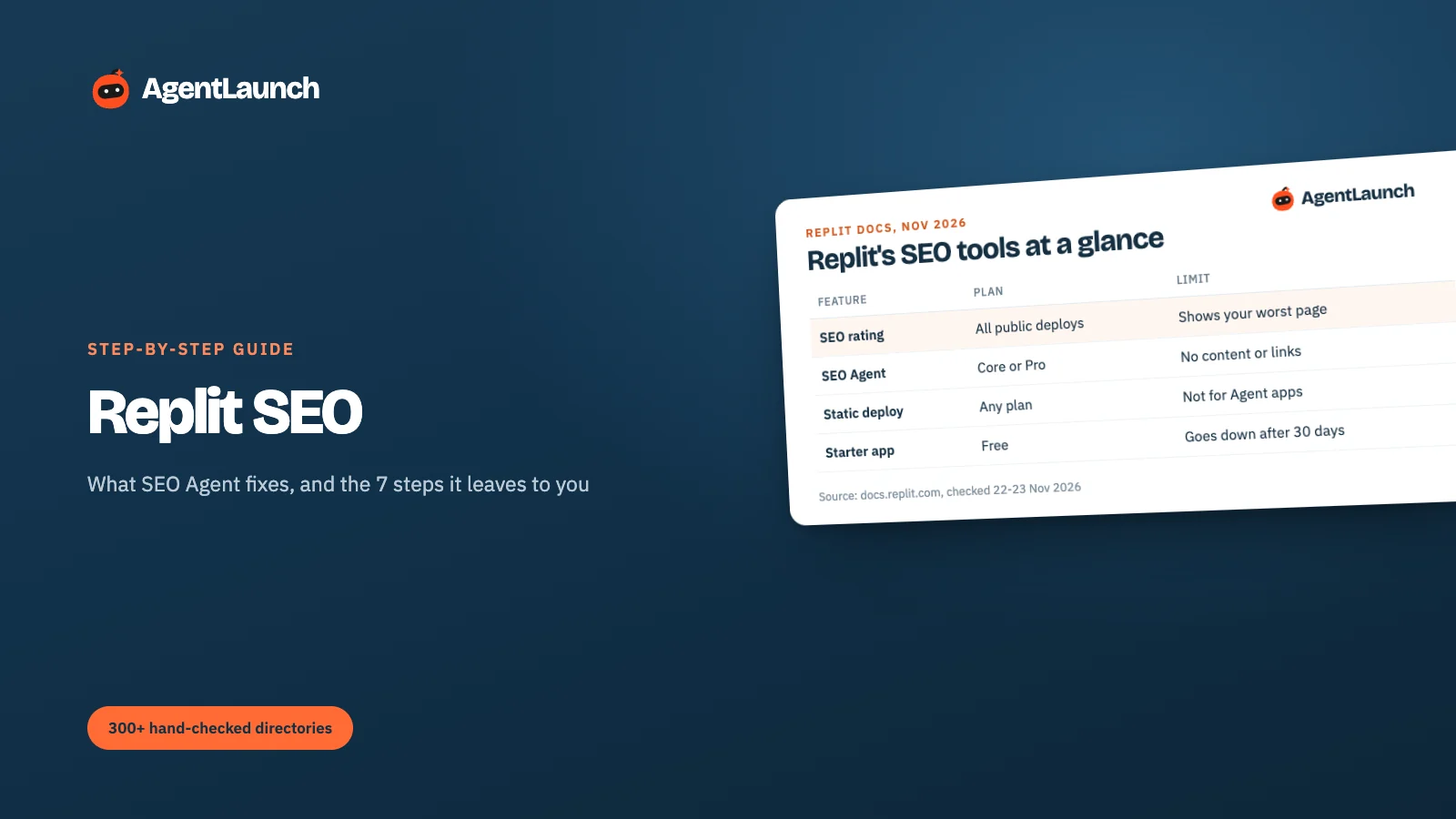
- SEO rating: a Lighthouse audit after every publish rates the app Healthy, Needs Work or Weak. It shows on public Autoscale, Reserved VM and Static deployments.
- SEO Agent: scans the published app and turns each issue into a one-click fix. It needs a paid plan, Core or Pro.
- Project Analytics: visitors, top pages, referrers, countries and devices in the Growth pane.
Agent's defaults also changed on 3 June 2026. Per the SEO Agent launch post, new apps ship with semantic HTML, meta tags, Open Graph previews, robots.txt and sitemap.xml. Older apps may lack them until you ask.
What's missing: the SEO Agent docs say it doesn't write content or build topical authority. Replit's launch post calls content and earning links from other sites the other half of SEO.
What you'll need
| What | Time | Cost |
|---|---|---|
| Replit Core or Pro | 5 min | Core $20/mo, Pro $100/mo |
| A domain you own | 15 min + DNS wait | Registrar fee |
| Google Search Console | 15 min | Free |
| A terminal with curl | 2 min | Free |
| PageSpeed Insights | 5 min per page | Free |
| Directories that fit your app | 2–6 hours | Mostly free |
Paid plans add SEO Agent, more than one published app and no badge.
The free Starter plan is a poor fit. Per the Starter plan docs, you get one published app with a "Made with Replit" badge, and the link goes down after 30 days. Google can't rank a page that disappears in a month.
Step 1: Pick the right Replit deployment type for SEO
Set it in the Publishing tool under Adjust settings, in the Deployment type dropdown. Three of the four types serve public pages.
| Type | How it runs | SEO notes |
|---|---|---|
| Autoscale (default) | Scales to zero when idle | Fine for Agent apps, slow first load after idle |
| Reserved VM | Dedicated server, never sleeps | No cold starts, fixed monthly cost |
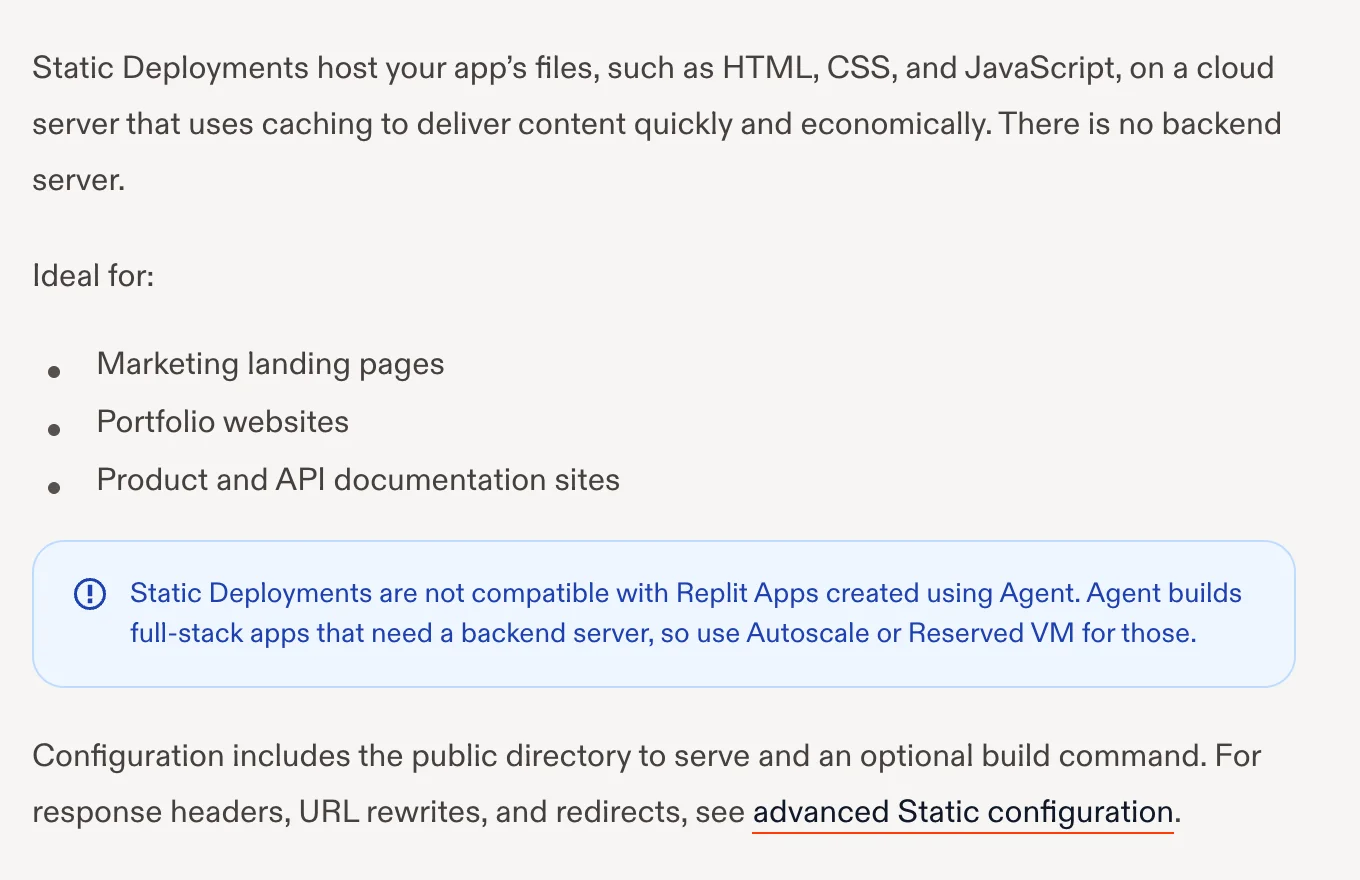
| Static | Cached files, no backend | Prerendered HTML, not for Agent apps |
| Scheduled | Runs a command on a schedule | No public URL |
Here's the catch. Replit's SEO pages recommend Static Deployments because search engines parse prerendered HTML instantly. But the deployment types page says Static isn't compatible with apps created using Agent.
Which one to choose
- Built with Agent: use Autoscale. Switch to Reserved VM if first loads stay slow after quiet periods. Fix rendering in Step 4 instead of chasing Static.
- Plain HTML, CSS and JS with no backend: Static is the best SEO choice on Replit.
- Speed: open Publishing, expand Advanced, and pick a Project geography near your visitors.
Step 2: Move off replit.app to a custom domain
Since 26 November 2025, when you link a custom domain, Replit says search engines index only that domain, not your replit.app subdomain. That avoids duplicate content.
It matters for links too: BetaList doesn't accept free hosting subdomains.
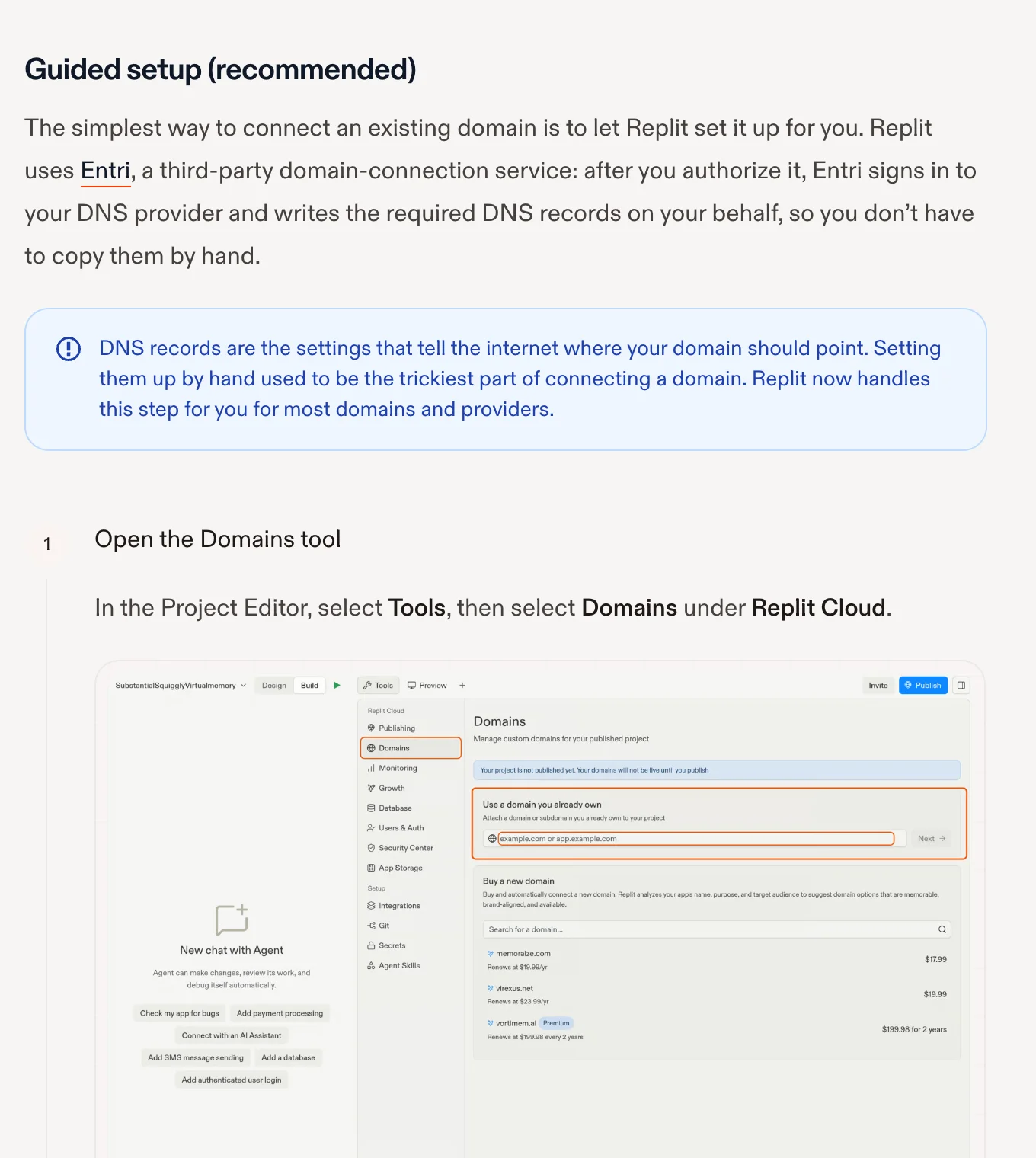
Guided setup
- In the Project Editor, select Tools, then Domains under Replit Cloud.
- Under Use a domain you already own, enter the domain and select Next.
- Authorize the guided flow, which uses Entri to write the DNS records for you.
- Wait for Verified, usually minutes and up to 48 hours.
You can also buy a domain in the same tool. Purchased domains connect without extra DNS work.
Manual setup traps
The Custom Domains docs list four:
- Keep the
replit-verifyTXT record forever. Replit renews your SSL certificate through it. Delete it and the next renewal fails. - www is a separate entry. Add www in the Domains tool with its own records, then redirect one version to the other at your registrar.
- Turn the Cloudflare proxy off. Set the record to DNS only. Replit can't renew certificates on proxied records.
- Add records fast. Replit checks DNS every 1–2 minutes for about 6 hours, then marks the domain Failed.
Step 3: Run your Replit SEO audit with SEO Agent
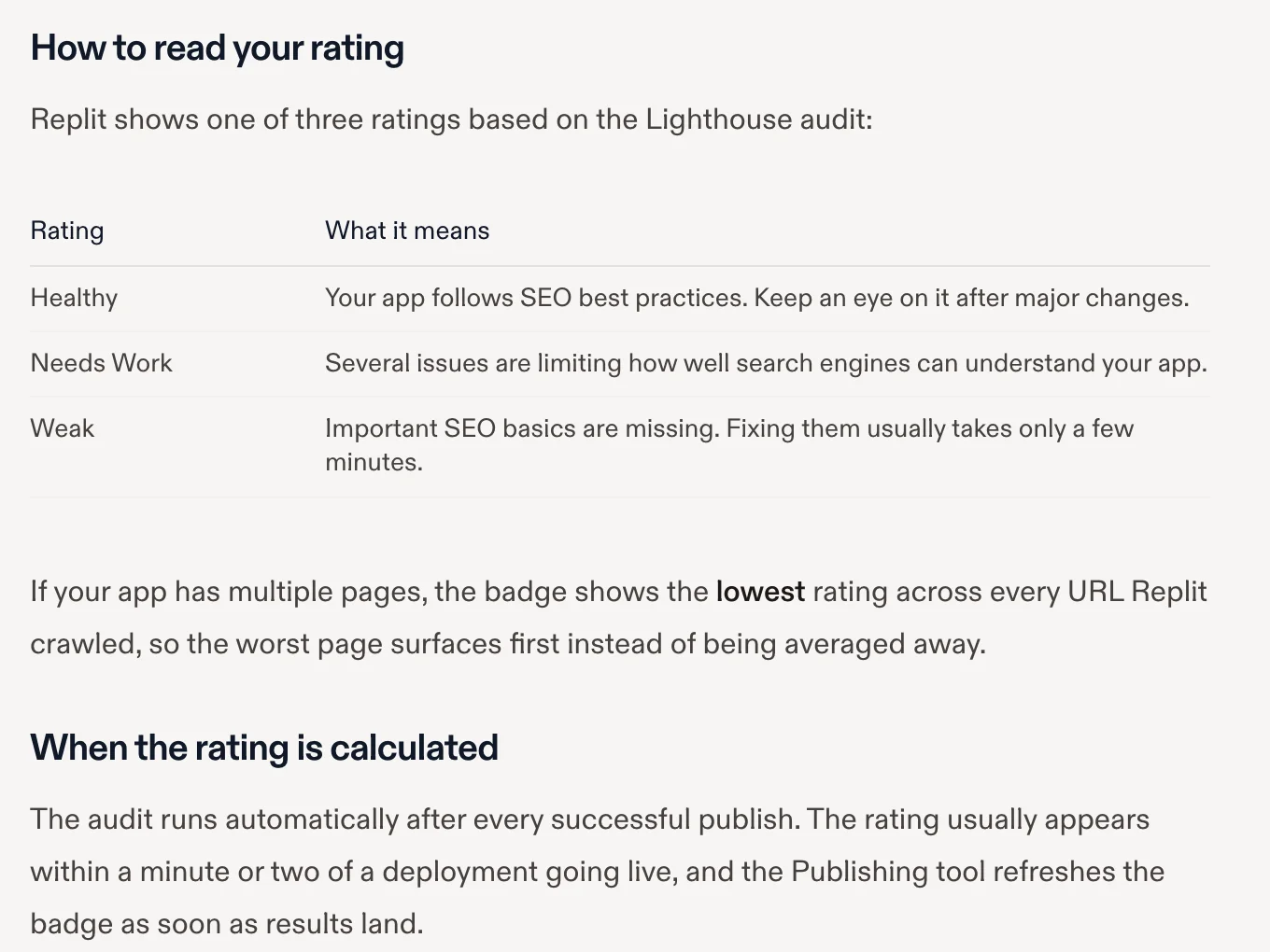
The rating appears in the Publishing tool a minute or two after each publish. With several pages, the badge shows the lowest-rated URL, so one weak page drags it down.
Run the scan
- Publish the app. The Growth pane stays locked until you do.
- Open Tools, then Growth under Replit Cloud. Or select Optimize SEO with Agent next to the rating.
- In the SEO Rating card, select Run scan with Agent. It takes a few minutes.
- Review the issues by severity and select Fix with Agent, or Fix all with Agent.
- When a task shows Ready for review, check the diff and select Apply changes to main version.
- Republish so the rating recalculates.
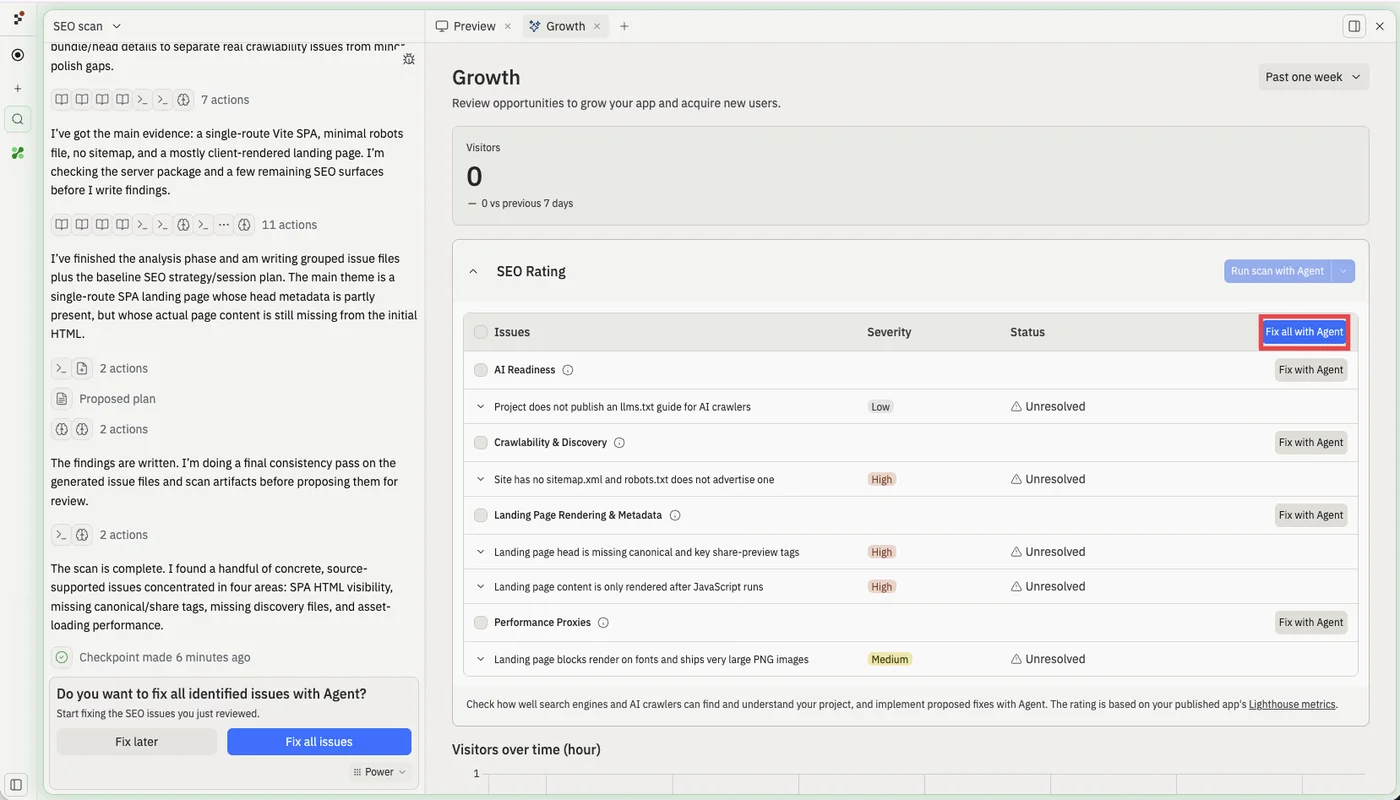
Look at the example in Replit's own docs. The scan finds a single-route Vite SPA with no sitemap and a mostly client-rendered landing page. That's the default problem you fix in Step 4.
What SEO Agent fixes
- Unique titles under 60 characters and descriptions around 150–160
- Image alt text,
lang, link text, viewport and color contrast - robots.txt, sitemap.xml, Open Graph and Twitter card tags
No paid plan? Use the prompt
The scan is paid, but the docs give a prompt you can send Agent yourself:
Audit my site for SEO best practices and apply the fixes. Add a sitemap,
robots.txt, Open Graph tags, structured data where it makes sense, and make
sure every page has a unique title and meta description.
Then open /robots.txt and /sitemap.xml on your live domain. Confirm the sitemap lists custom domain URLs, not replit.app ones.
Step 4: Make Replit pages render as HTML
A green rating doesn't prove Google sees your content. A curl request shows what a crawler gets before any JavaScript runs:
curl -s https://yourdomain.com/ | grep -iE "<title>|<h1|<meta name=\"description\""
curl -s https://yourdomain.com/pricing | grep -iE "<title>|<h1"
If each route returns its own title and H1, you're fine. If every route returns the same title and no H1, the content is client-rendered.
Google can render JavaScript, but its JavaScript SEO guide says pages wait in a render queue. It still recommends server-side or prerendering, partly because not all bots can run JavaScript. AI crawlers are among them.
Your options, best first
- Prerender inside the app. Replit's launch post says SEO Agent can recommend server-side rendering or static generation for content-heavy sites. This keeps you on Autoscale.
- Split the marketing site out. A plain static site can use a Static Deployment on its own domain, while the app stays on Autoscale.
- Use a third-party prerender service. Google calls this dynamic rendering a workaround, not a long-term fix. Many of these services sit behind a proxy, and Replit needs Cloudflare proxying off.
For option 1, ask Agent directly:
Prerender my public marketing routes (home, pricing, features, blog) to static HTML at build time and serve them from the existing server. Keep the logged-in app client-rendered.
Logged-in screens don't need any of this.
Replit programmatic SEO
Agent can build listing sites and directories with hundreds of pages. If you do:
- Use subfolders, not subdomains. Replit issues one certificate per subdomain, and Let's Encrypt allows 50 new certificates per domain.
- Split big sitemaps. Google's limit is 50,000 URLs or 50 MB per file.
- Write unique copy for every page. We'd skip pages that only swap a keyword into one template.
Step 5: Connect Google Search Console
Replit's docs skip this step, and it's the one that tells you whether anything worked.
- Add a Domain property for
yourdomain.com. It covers www, http and https and verifies by DNS. - Add the TXT record at your DNS provider, next to Replit's
replit-verifyrecord. - Under Sitemaps, submit
https://yourdomain.com/sitemap.xml. - Paste your homepage into URL Inspection, run Test live URL, then View tested page to see what Googlebot rendered.
- Select Request indexing for your homepage and two or three key pages.
Google says crawling can take a few days to a few weeks, and repeat requests don't speed it up. Our Google Search Console glossary entry explains the Pages report statuses.
Then turn on Replit's own numbers. In Publishing, under Suggested add-ons, select Enable analytics and republish. The Growth pane then shows visitors, top pages and referrers for up to 30 days.
Step 6: Fix page speed on Replit
Run your homepage and one deep page through PageSpeed Insights, then fix these:
- Cold starts. On Autoscale, the first request after idle can take a few seconds. Reserved VM removes the delay.
- Heavy images and fonts. Replit's example scan flagged very large PNGs and render-blocking fonts. Ask Agent to convert images to WebP, set width and height, and preload one font.
Step 7: Build authority with backlinks and listings
This is the half Replit leaves to you. Links from relevant sites are how a new domain gets found and trusted.
Start with sites that list new products and give a dofollow link. These come from the AgentLaunch catalog, where DR is Ahrefs Domain Rating:
| Site | DR | Cost |
|---|---|---|
| Product Hunt | 91 | Free |
| AlternativeTo | 80 | Free |
| Uneed | 76 | Free, paid extras |
| MicroLaunch | 64 | Free |
Across 352 directory profiles in our catalog, 215 give a dofollow product link. Our dofollow directories list filters to those.
Replit also runs a curated gallery you can apply to through its Share your Replit Apps form. Our guide to where to submit a vibe-coded app covers galleries and launch sites.
Keep expectations modest. ShieldLabs reported on Indie Hackers that 89 live directory listings sent 171 of about 3,300 sessions. Treat listings as links and discovery, not a traffic engine.
After directories, read how to get backlinks for a new website. Track progress with the free DR checker.
If you'd rather not fill 50 forms by hand, AgentLaunch is an AI agent you run from Claude Code, Codex or Cursor. It writes copy for each directory, fills the forms in a real browser and stops only for CAPTCHAs, payments or 2FA.
Either way, first check which directories fit your app.
Common mistakes
- Trusting the green badge. Healthy means Lighthouse found the tags. Run the curl check anyway.
- Publishing on Starter and waiting. The free published app goes down after 30 days.
- Deleting the
replit-verifyrecord when you add Search Console's TXT record. You need both. - Leaving replit.app URLs in the sitemap. Regenerate it after you connect a domain.
What results to expect
No one publishes Replit-specific ranking data. Google says crawling after a request takes a few days to a few weeks, and directory links send modest traffic on their own.
Watch Search Console for impressions on your brand name first. That's the earliest sign your pages are indexed.
Building elsewhere too? See our Lovable SEO guide, Bolt.new SEO guide and Lovable vs Replit growth tools.
The tool-agnostic SEO checklist for vibe-coded apps has a prompt for each fix.
FAQ
Can Replit do SEO?
Yes, with limits. It rates every publish with Lighthouse, and SEO Agent fixes tags and sitemaps on paid plans. You still need a custom domain, prerendered public pages, Search Console and backlinks.
Is Replit's SEO Agent free?
No. It needs a paid plan, Core at $20 a month or Pro at $100. Free users can paste Replit's audit prompt into Agent instead.
How do I run a Replit SEO audit?
Publish, open Tools, then Growth, and select Run scan with Agent. Fix the issues with Agent, apply the changes and republish to refresh the rating.
Should I use a Static Deployment for Replit website SEO?
Only if your site has no backend. Replit says Static isn't compatible with Agent-built apps, so use Autoscale or Reserved VM and prerender public pages.
Can I do programmatic SEO on Replit?
Yes. Use subfolders instead of subdomains, prerender the pages, split large sitemaps and write unique copy for each page.
Does a replit.app subdomain rank on Google?
It can be indexed, but some launch sites refuse free subdomains. Once you link a custom domain, Replit says search engines index only that domain.