Field notes
How to Launch a SaaS Waitlist That Turns Into Users
How to launch a SaaS waitlist that turns into launch-day users: the page, one qualifying question, keeping it warm, inviting in waves, waitlist tools and prices, and which launch platforms accept pre-launch products.
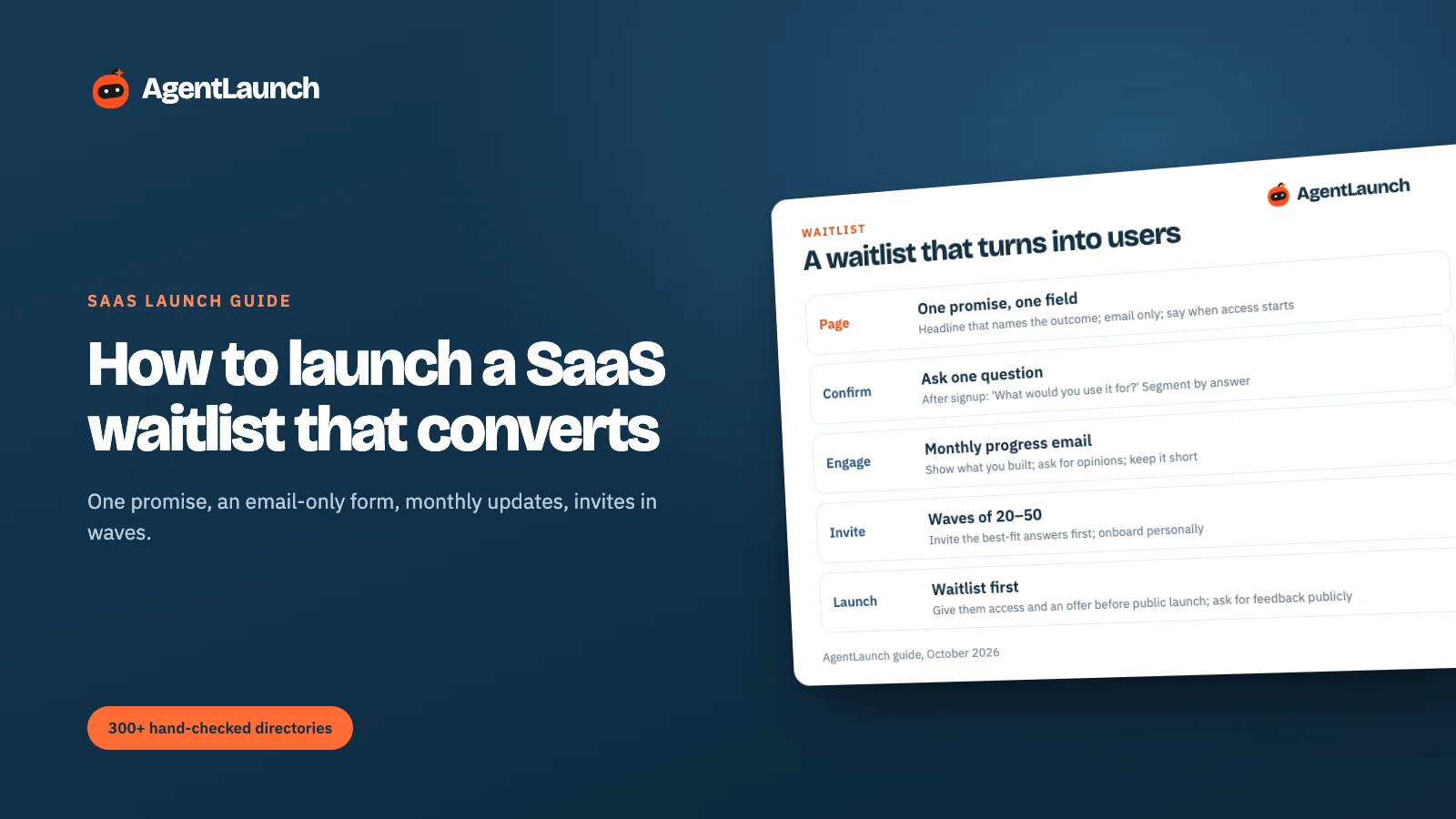
A SaaS waitlist works when it does three things: makes one clear promise on a page with an email-only form, asks one qualifying question right after sign-up ("What would you use it for?"), and keeps people warm with a short monthly progress email until you invite them, in waves of 20–50, best-fit first. A waitlist that collects emails and goes quiet for four months converts poorly. One that talks to people converts into your first users and launch supporters.
Here's the full flow, page copy that works, and how to turn the list into a launch.
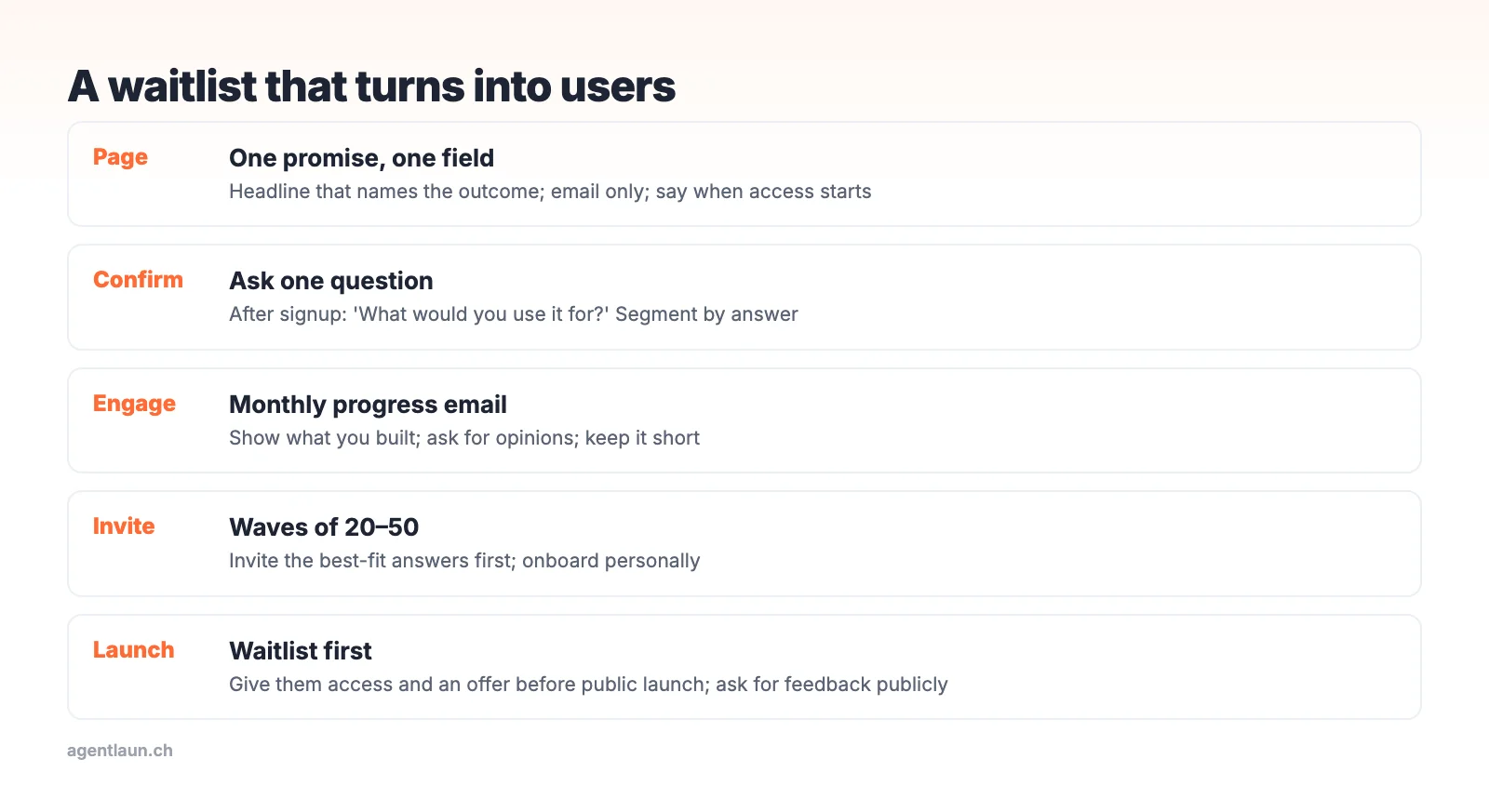
The waitlist page
- Headline: the outcome, not the product. "Turn sales calls into CRM notes automatically" beats "The AI sales assistant".
- One line on who it's for.
- A visual of the product doing the job, even an early one.
- Email field only. Every extra field cuts sign-ups.
- When access starts: "Invites roll out from November" sets expectations.
Skip countdown timers and fake "#4,312 in line" counters. They read as gimmicks to the people you most want.
Right after sign-up: ask one question
On the thank-you page or the confirmation email: "What would you use [Product] for?" with a free-text answer. This tells you:
- Who to invite first (the clearest fit)
- The exact words for your landing page
- Which use cases to build onboarding around
Keep the list warm
A short email every 3–4 weeks:
Subject: [Product] update: [one thing you shipped]
Hi {{first_name}}, quick update. This month we [shipped X]. Here's a 20-second look: [GIF/link]. One question: [specific question]. Hit reply and tell me.
Invites start [date].
Short, specific and asking for a reply. Replies are your best signal of who's interested.
Invite in waves
- Wave 1 (20–50 people): the clearest fits from the qualifying question. Onboard them personally.
- Fix what they hit, then Wave 2 (50–200).
- Launch publicly once Wave 2 activates without help (readiness scorecard).
Turn the waitlist into launch day
- Email the waitlist first on launch day (launch email templates)
- Give them a launch-week offer
- Ask early users for honest comments on Product Hunt or smaller launch platforms. Never ask for upvotes.
Waitlist tools and what they cost
You can build a waitlist with a form and a spreadsheet. If you want referral positions and a hosted page, these are the common options (prices from their pricing pages, October 2026):
| Tool | Free plan | Paid | Model |
|---|---|---|---|
| LaunchList | Up to 100 submissions | $19 for 500, $79 for 10,000 | One-time per waitlist |
| Waitlister | 100 subscribers, 1 waitlist | From $19/month (unlimited subscribers) | Monthly subscription |
| Your own form (Tally, Google Forms) + email tool | Generous | – | You build the referral logic yourself |
A one-time price suits a single launch. A subscription makes sense only if you'll run waitlists for several products. Either way, export the list into your real email tool before launch day so you can segment it.
Where to get waitlist sign-ups
- Pre-launch directories: BetaList features upcoming startups
- Build in public on X and LinkedIn with progress posts
- Communities where the problem is discussed (Reddit guide)
- Peerlist projects and early "coming soon" listings on some launch platforms
Launch platforms that accept pre-launch products
Most launch platforms want something people can use today. Where a waitlist fits:
- BetaList is built for pre-launch and beta products.
- Product Hunt lets you schedule a launch up to a month ahead, so people can follow the upcoming page. The launch itself should be usable.
- Show HN explicitly excludes sign-up and landing pages.
- Directories often reject "coming soon" pages. Submit once the product works (why submissions get rejected).
Benchmarks to sanity-check
Track the waitlist page's visit-to-signup rate (a focused page with an email-only form usually beats a busy one), the share who answer the qualifying question, and the share of invited people who activate. The last one is the number that matters.
The page, element by element
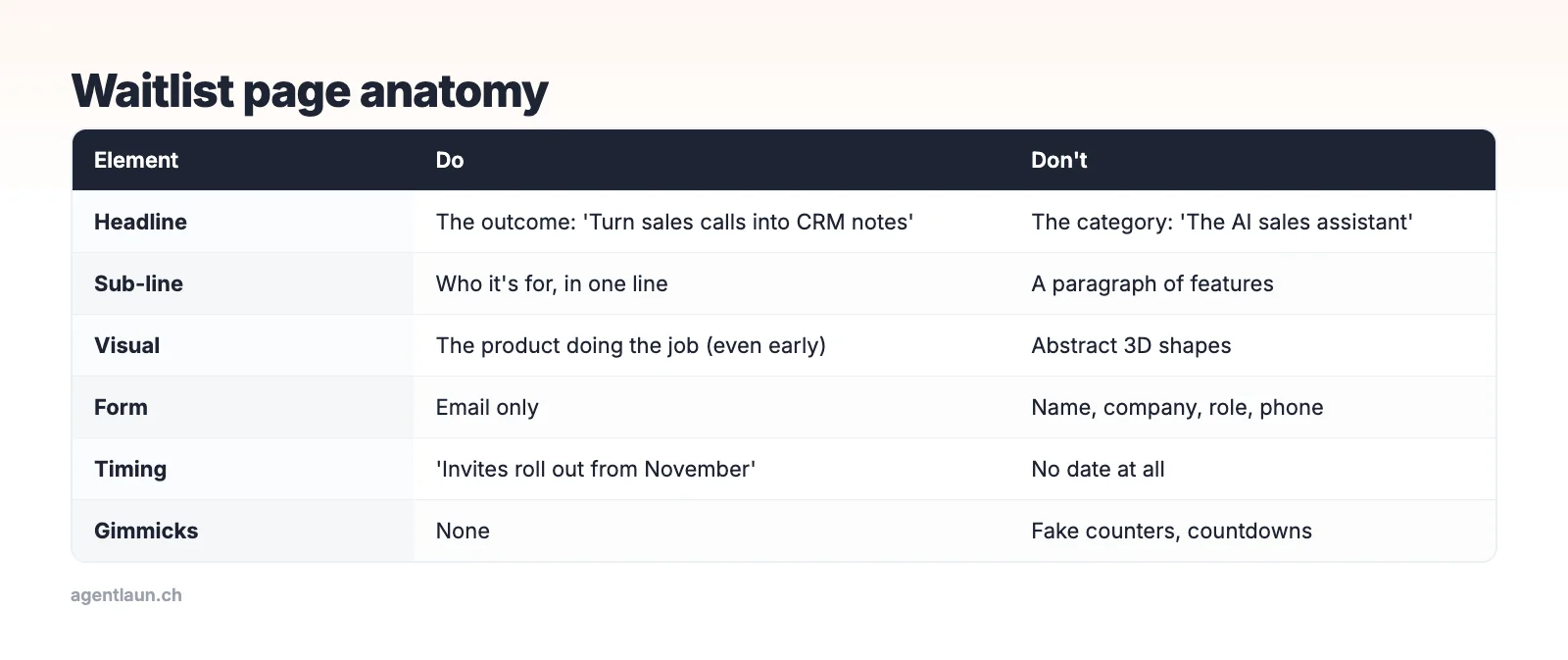
The waitlist page has one job: get the right people to leave an email. Every element either helps them decide or gets in the way. Asking for name, company and role "to qualify" costs more sign-ups than it gains. Ask the qualifying question after the email instead, when they're already committed.
Segment with the qualifying answer
Once answers come in, sort them into three groups:
| Group | Example answer | What to do |
|---|---|---|
| Clear fit | "I spend every Friday writing up call notes for HubSpot" | Wave 1 invite, personal onboarding |
| Adjacent | "Maybe for interview notes" | Wave 2. Watch whether the product fits |
| Unclear | "Looks cool" | General updates only |
The clear-fit answers are also your best landing-page copy. Use their exact words in your headline and FAQ.
How long to keep the waitlist open
Waitlists lose energy fast. A list collected over 9 months with no contact converts far worse than one collected over 6 weeks with monthly updates. If you're months away, say so on the page, keep the monthly emails, and invite small waves early rather than waiting for a perfect launch.
Related
FAQ
How do I create a waitlist for my SaaS? A page with one outcome-focused headline and an email-only form, a qualifying question after sign-up, and monthly updates until you invite people in waves.
How long should a SaaS waitlist last? As short as possible. Weeks to a few months. Keep people engaged with monthly updates if it runs longer.
How do I convert a waitlist into users? Invite the best-fit people first, onboard them personally, and give the whole list early access and an offer before the public launch.
What's the best free waitlist tool? For a single launch, LaunchList and Waitlister both have free plans up to 100 sign-ups. Above that, LaunchList charges once per waitlist and Waitlister monthly.
Can I launch a waitlist on Product Hunt? You can schedule an upcoming launch a month ahead to collect followers, but the launch itself should be something people can try. BetaList is the platform built for pre-launch products.