Vibe coding growth guidesSaaS launch and marketing
Cursor for Marketing (and Codex for Marketing): How to Set Up Rules, Skills and a Browser Agent
Set up Cursor and OpenAI Codex as marketing agents: rule and AGENTS.md templates, shared skills, MCP servers, and the browser step that directory launches need.
 By Pruthvi RajNovember 23, 2026
Using Cursor for marketing works like Claude Code. You need a rules file with product facts, a marketing skill pack, data over MCP and a browser.
Quick answer:
- Cursor: add
.cursor/rules/*.mdcmarketing rules. Codex: add anAGENTS.md.- Install marketing skills once into
.agents/skills, which both tools read.- Connect Search Console, analytics and email over MCP.
- Use the agent for copy, landing page SEO fixes and pages built from data.
- Give it a browser for directory and launch submissions.
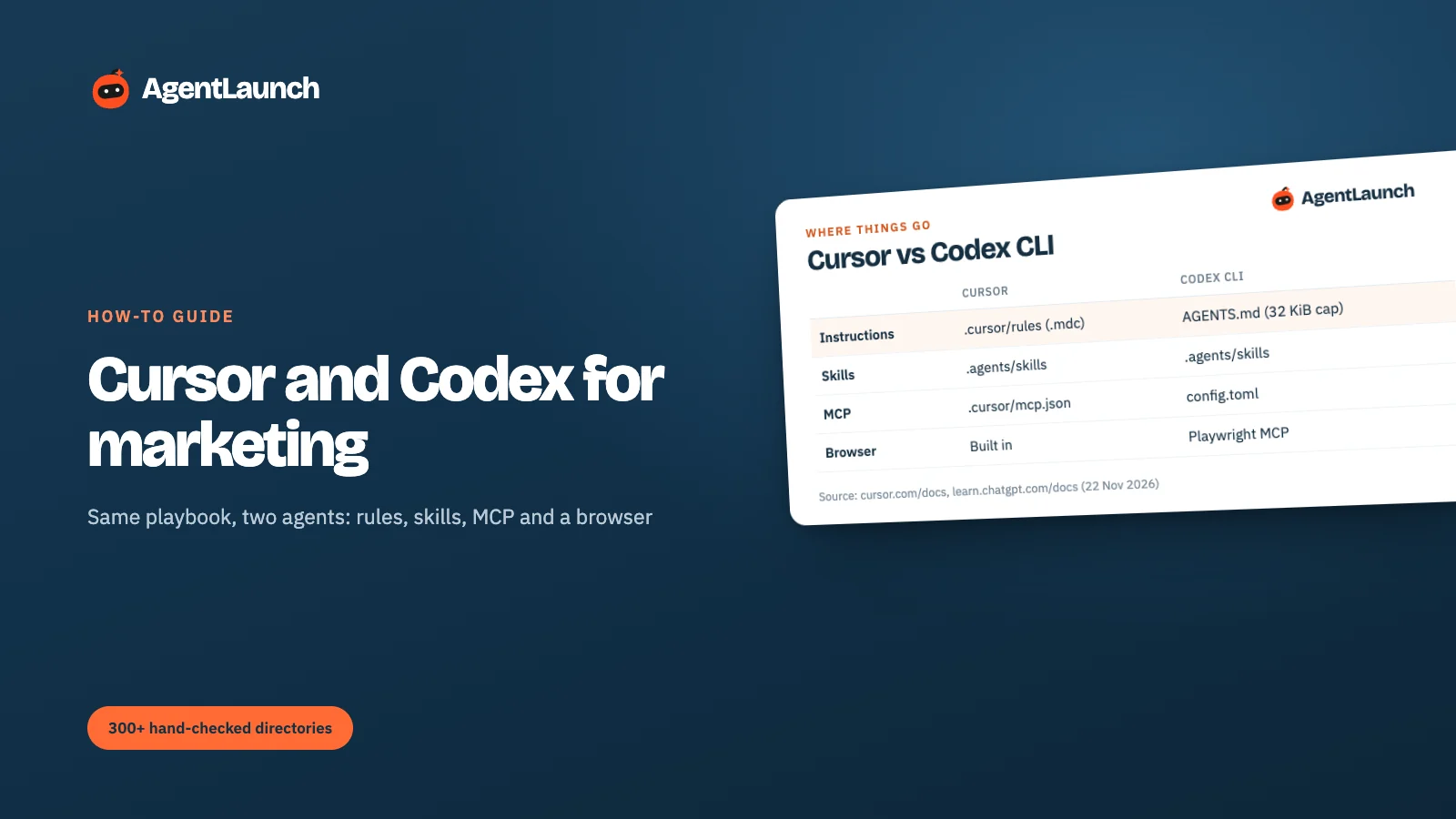
OpenAI Codex follows the same playbook through AGENTS.md, .agents/skills and config.toml. The big difference is the browser. As of November 2026, Cursor's Agent has a built-in Browser tool. The Codex CLI and IDE extension don't, so Codex needs Playwright MCP before it can submit anything.
What you'll need
| Piece | Cursor | Codex |
|---|---|---|
| Agent | Cursor Agent, Cmd+I | Codex CLI or IDE extension |
| Instructions | .cursor/rules/*.mdc, AGENTS.md |
AGENTS.md, 32 KiB cap |
| Skills folder | .agents/skills/ or .cursor/skills/ |
.agents/skills/ |
| Call a skill | Type / in Agent |
$skill-name or /skills |
| MCP config | .cursor/mcp.json |
~/.codex/config.toml |
| Browser | Built in | Playwright MCP |
You also need Node.js with npx. The agents run on your Cursor subscription or Codex sign-in, and the skills and MCP servers here are free to install.
Step 1: Choose your surface: Cursor Agent or Codex agent mode
Both are agents, not autocomplete. They edit code and run commands on your machine. Install Codex with npm install -g @openai/codex or the standalone installer.
What people call Codex agent mode is its Auto permission preset. Codex then reads, edits and runs commands in the working directory on its own. It asks before touching files outside the workspace or using the network.
The preset equals --sandbox workspace-write --ask-for-approval on-request. Switch to read-only with /permissions when you only want a plan.
Step 2: Set up Cursor for marketing with project rules
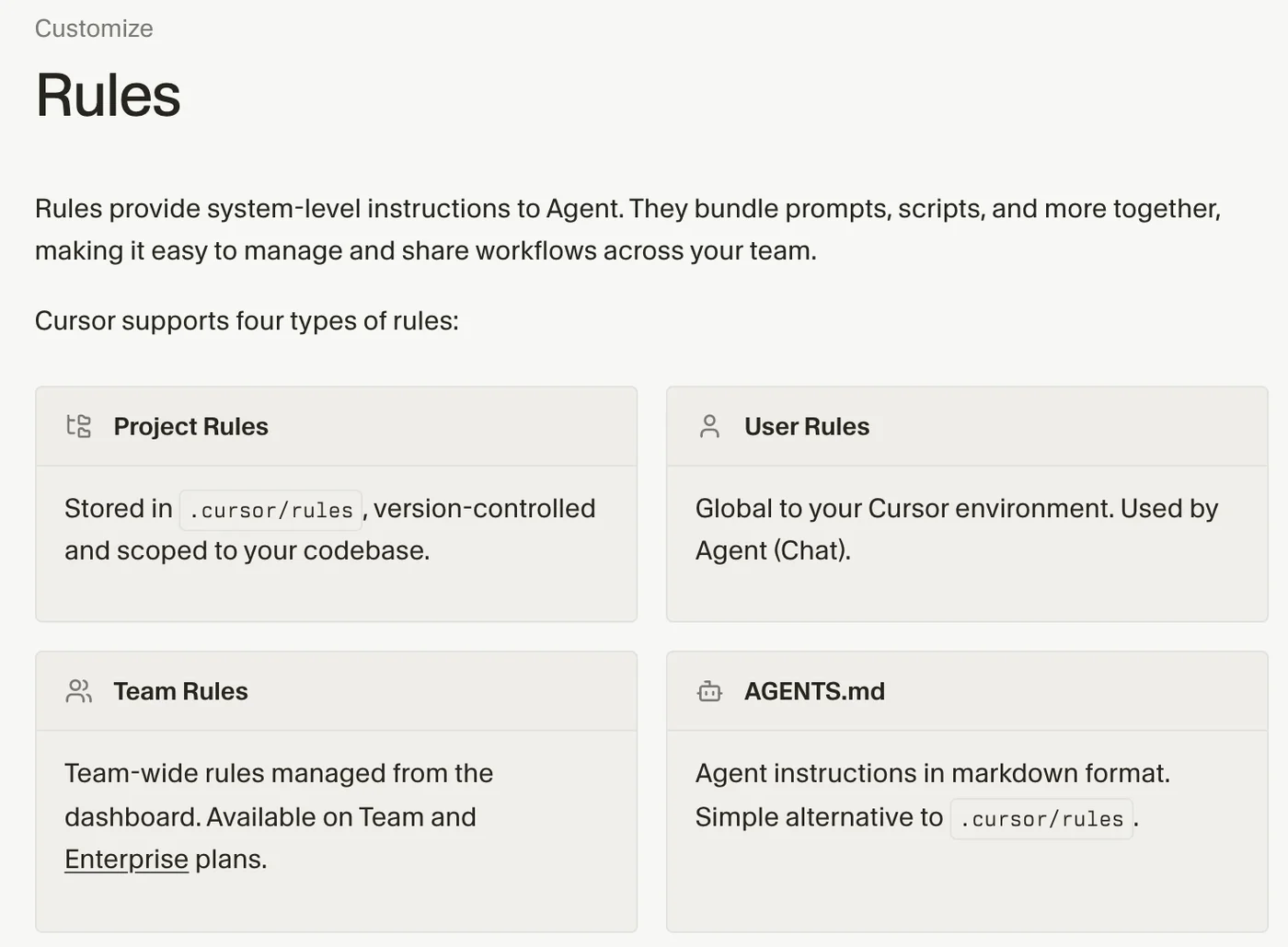
Cursor has four rule types: Project Rules, User Rules, Team Rules and AGENTS.md. Project rules live in .cursor/rules and must use the .mdc extension. A plain .md file there is ignored.
The frontmatter fields description, globs and alwaysApply decide when a rule loads. Cursor recommends keeping each rule under 500 lines, per its rules docs.
Two rules cover most marketing work. The first loads whenever a task is about marketing copy.
---
description: Product facts, audience and voice for any marketing copy, landing page, listing or email
alwaysApply: false
---

# Marketing context

- Product: [one sentence: what it does, for whom]
- Audience: [role, company size, the moment they need this]
- Problems we solve: [three, in customers' words]
- Alternatives: [competitor A], [competitor B]; we differ by [proof]
- Pricing model: [free / freemium / paid], plans: [names only]

## Rules for copy
- Every claim must trace to this file or the codebase. No invented numbers,
  customers, awards or quotes. Ask when a fact is missing.
- Plain words, short sentences. No "revolutionary", no "all-in-one".
- Give two options for every headline.
The second loads by file pattern whenever the agent edits a marketing page.
---
globs: app/(marketing)/**/*.tsx, content/**/*.mdx
alwaysApply: false
---

# Marketing page checklist

- One H1 per page; H2 > H3 order.
- Unique <title> (under 60 characters) and meta description (140–155).
- Canonical URL on the production domain, never a preview domain.
- Open Graph title, description and image for every route.
- JSON-LD where it fits (Organization, SoftwareApplication, FAQPage).
- New pages go in the sitemap.
Those limits are our house style, so swap in yours. Our SEO checklist for vibe-coded apps explains each line.
Step 3: Set up Codex for marketing with an AGENTS.md (Cursor reads it too)
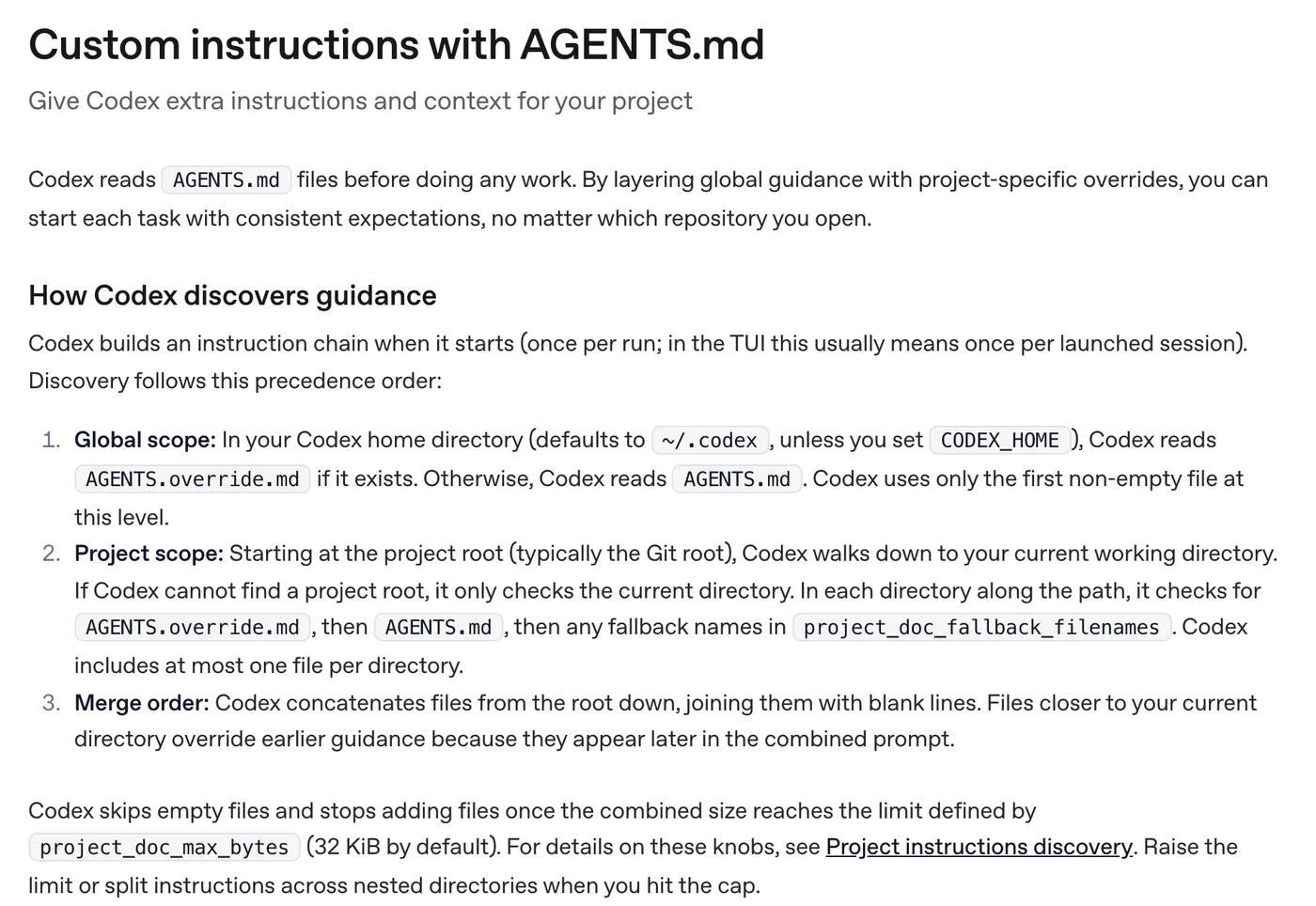
Codex reads AGENTS.md before doing any work. It starts with ~/.codex/AGENTS.md, then walks from the project root down to your working directory. Closer files win.
It stops once the combined size hits 32 KiB by default, set by project_doc_max_bytes. OpenAI's AGENTS.md guide has the details.
Cursor also reads AGENTS.md in the root and subfolders, so one file can serve both tools.
A marketing AGENTS.md you can copy:
# AGENTS.md

## Product facts (source of truth for all marketing work)
- See docs/marketing.md. Never state a number, customer or feature
  that isn't in that file or the code.

## Marketing tasks
- Copy changes: edit the page component, show a diff, keep the layout.
- SEO changes: title, meta description, canonical, OG tags, JSON-LD,
  sitemap. Run the build after edits.
- New pages from data: only from files in data/. Skip a page if its
  data row has fewer than 3 filled fields.

## Never
- Push, deploy or publish without asking.
- Submit forms, sign up, or post on any website unless I say so for
  that site.
- Pay for anything.
Keep product facts in their own file and point to it. That keeps AGENTS.md short and well under the cap.
Step 4: Install marketing skills once for both tools
Both tools follow the open Agent Skills format, so one install works for both. Cursor loads .agents/skills/ and .cursor/skills/, plus .claude/skills/ and .codex/skills/ for compatibility. Codex scans .agents/skills from your working directory up to the repo root.
The biggest free pack is coreyhaines31/marketingskills: 53 skills, MIT-licensed, about 62,000 GitHub stars. It supports both Codex and Cursor.
# The CLI asks where to install: pick the shared .agents/skills folder,
# which Cursor and Codex both read
npx skills add coreyhaines31/marketingskills

# Codex plugin route
codex plugin marketplace add coreyhaines31/marketingskills
# then run /plugins inside Codex and pick marketing-skills
Start with product-marketing. It writes .agents/product-marketing.md, which the other skills read first. Then add copywriting, seo-audit and programmatic-seo.
Step 5: Connect MCP servers for real data
Cursor reads .cursor/mcp.json per project or ~/.cursor/mcp.json globally, per the Cursor MCP docs. Codex stores servers in ~/.codex/config.toml, or a project .codex/config.toml for trusted projects, per the Codex MCP docs.
Cursor, .cursor/mcp.json:
{
  "mcpServers": {
    "playwright": { "command": "npx", "args": ["@playwright/mcp@latest"] },
    "resend": { "url": "https://mcp.resend.com/mcp" },
    "dataforseo": { "url": "https://mcp.dataforseo.com/v3/mcp" }
  }
}
Codex, terminal or config.toml:
codex mcp add playwright npx "@playwright/mcp@latest"
codex mcp add resend --url https://mcp.resend.com/mcp
[mcp_servers.playwright]
command = "npx"
args = ["@playwright/mcp@latest"]
For Search Console, use the open-source mcp-gsc server. For GA4, use Google's google-analytics-mcp. Both READMEs cover OAuth setup, and both should stay read-only until you need writes.
Step 6: Use Cursor to market your app: the tasks it does well
Coding agents earn their keep on marketing work that ends up in your repo.
Copy that ships as code
Use the copywriting skill and docs/marketing.md. Rewrite the hero,
subhead and feature grid in app/page.tsx for [audience]. Keep the
components and classes. Two headline options, then show the diff.
Landing page SEO fixes
Audit every route under app/(marketing). For each page, check title,
meta description, canonical, OG image, H1 count and JSON-LD. Fix the
gaps, add missing pages to the sitemap, run the build, list changes.
This is the highest-return hour most vibe coders skip. Our Claude Code SEO guide covers the same checks in more depth.
Programmatic pages from real data
Agents are fast at generating comparison, integration or template pages from a data file. The risk is thin pages. Give the agent real fields per page and a rule to skip rows that can't fill the template, as in the AGENTS.md above.
Aditya Bawankule's site passed 1.2 million visitors in 11 months, mostly from Google search. Its first version came from Codex, and Claude Code drafted research for 471 guides and 357 articles. He reviewed every one, and that part matters.
Listing copy, per destination
Directory forms don't agree on length. In 108 forms parsed for the AgentLaunch catalog, tagline caps ran from 80 to 300 characters and description caps from 90 to 5,000. Product Hunt caps taglines at 60.
Ask for one version per destination. Our guide to writing a SaaS directory description has the structure.
Step 7: Know what needs a Cursor marketing agent with a browser
Text tasks end as a diff. Distribution ends on someone else's website, and that needs a browser.
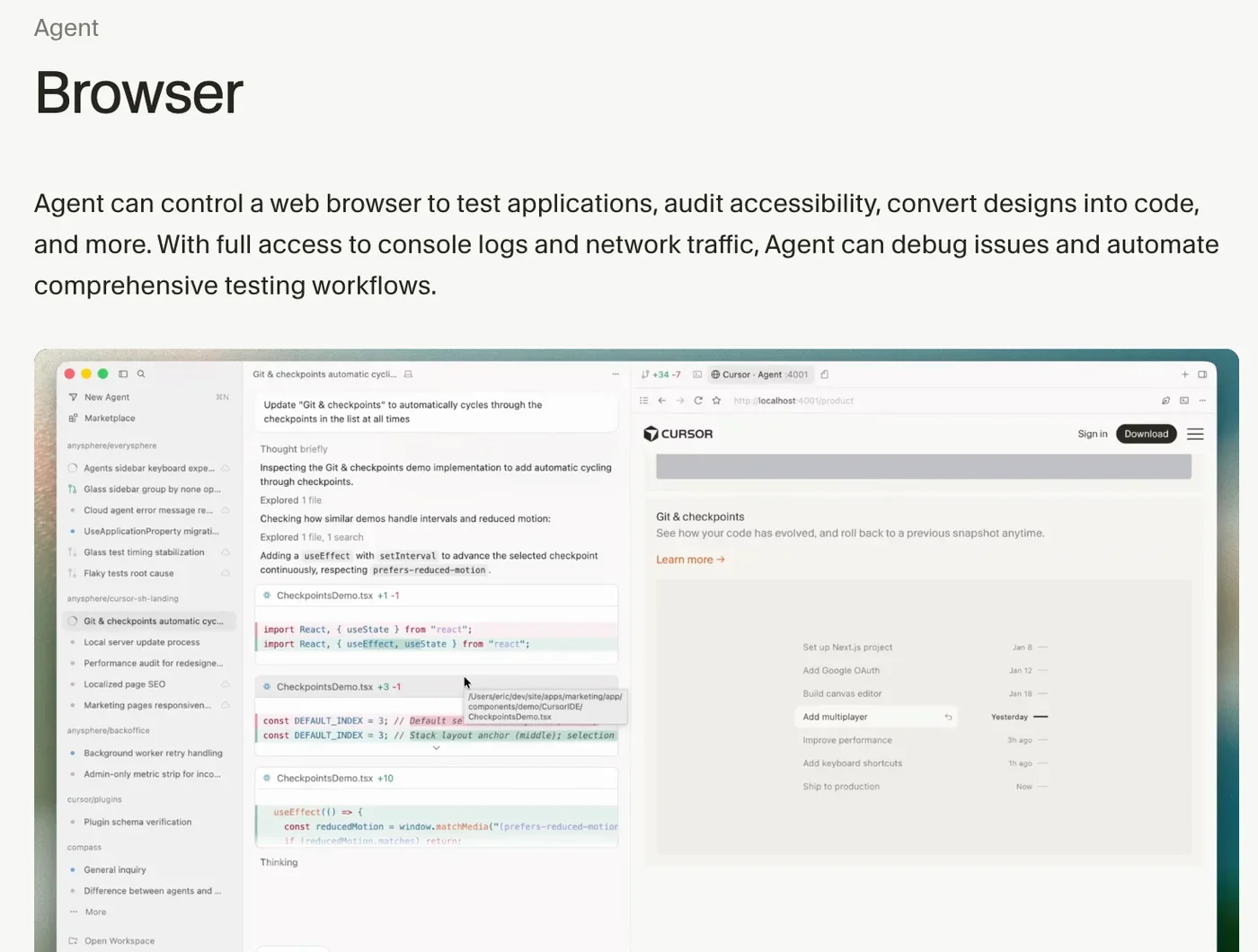
Cursor has one built in. Agent can visit URLs, click, type into forms, take screenshots and read console output. Cookies persist per workspace, so a directory login survives between sessions, per the Browser docs.
Codex has no browser in the CLI or IDE extension. OpenAI's Browser docs say so and point to the ChatGPT desktop app instead. In the terminal, add Playwright MCP as in Step 5.
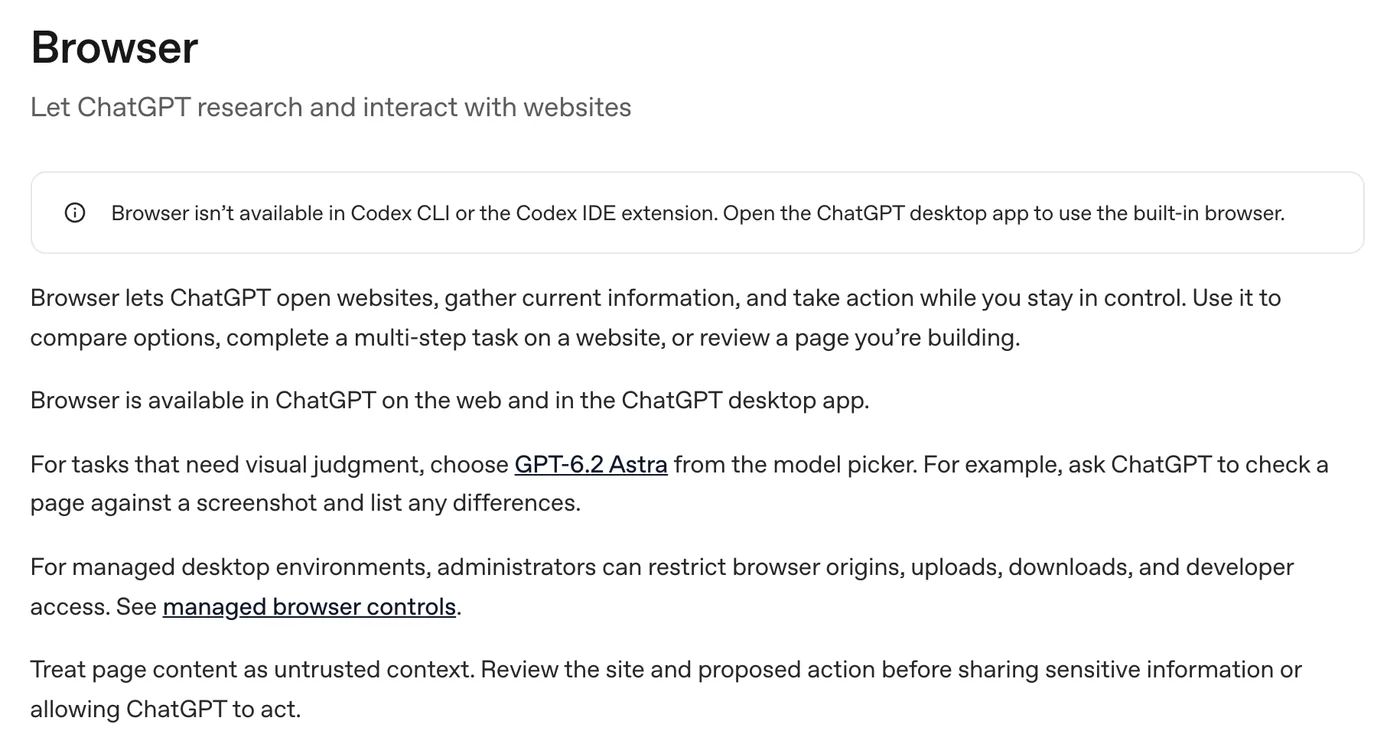
Expect stops either way. Of 352 directory profiles in the AgentLaunch catalog, 56 have a CAPTCHA and 72 need an account first. The agent fills the fields, and you solve the CAPTCHA.
Step 8: Run directory launches from Cursor or Codex
You can do this with the directory-submissions skill, a browser and a spreadsheet. Past about 20 directories it gets hard: pacing, avoiding double submissions, and checking which listings went live.
AgentLaunch's agent mode is built for that part, and it runs in Cursor and Codex as well as Claude Code. It needs Node.js 20+ and a browser the agent can drive.
For Codex, that's Playwright MCP in ~/.codex/config.toml, and the kit pins @playwright/mcp@0.0.82. For Cursor, any browser or Playwright MCP server works. Open the repo and say "launch my product" with your URL. The agent:
- Drafts
launches/<domain>/product.mdfrom your site and waits for your OK. - Plans directories from a 394-directory catalog, free routes first.
- Starts one directory at a time with
next, at least 3 minutes apart. - Writes copy within each directory's limits, fills the form and records the result.
- Stops for CAPTCHAs, payments, 2FA and sign-ins that need your mail or files, and marks those
needs_you. - Waits for your yes on Product Hunt, Hacker News, G2 and other major platforms.
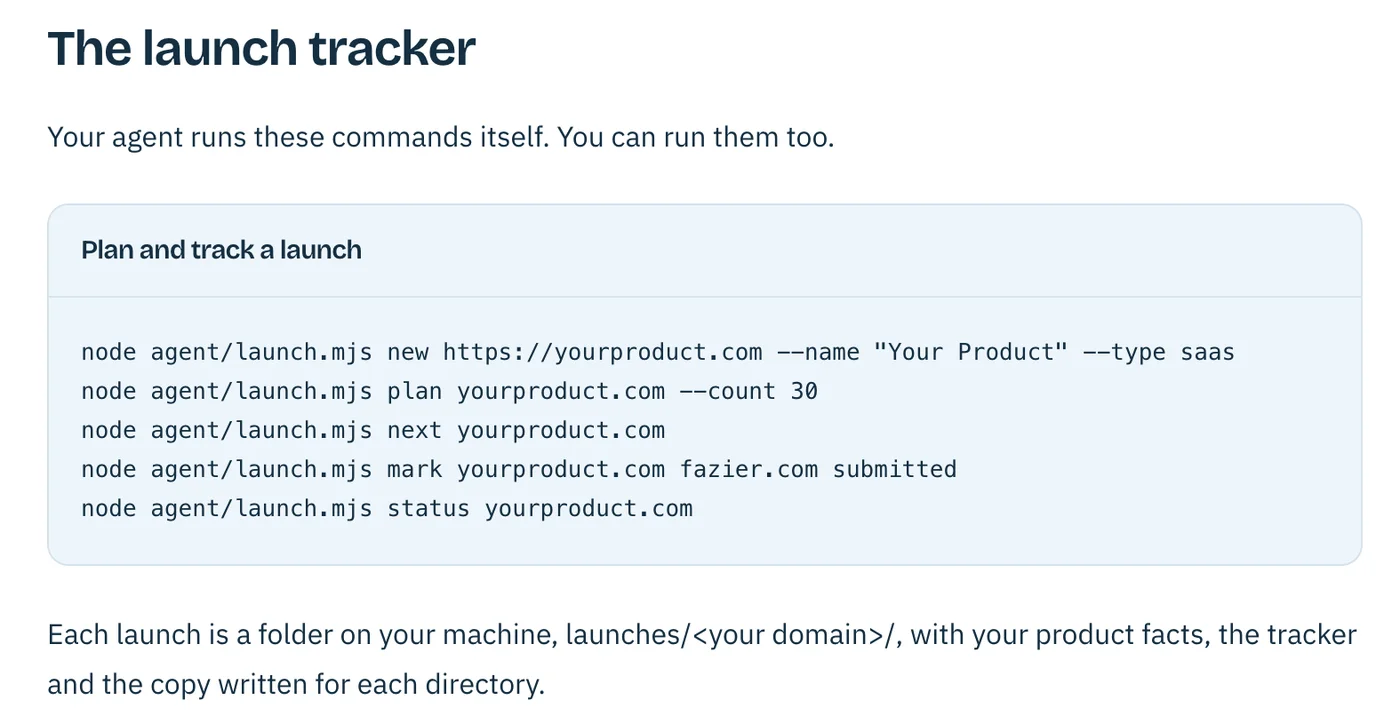
No AgentLaunch server or AI key is involved. Your editor's own model writes the copy, and each directory decides whether to list you.
First, check which directories fit your app. Then see where to start in our list of places to submit a vibe-coded app. The free DR checker shows any directory's authority before you spend time on it.
Common mistakes
- Plain
.mdfiles in.cursor/rules. Cursor ignores them. Use.mdcwith frontmatter, or useAGENTS.md. - A 40 KB AGENTS.md. Codex stops reading at 32 KiB by default. Link out to a facts file instead.
- Expecting Codex CLI to open websites. It can't without Playwright MCP.
- Letting the agent invent proof. Put "no invented numbers" in your rules and keep facts in one file.
- Thin programmatic pages. Generate only from rows with real data.
- One listing blurb everywhere. Limits range from 60 to 5,000 characters.
What results to expect
Copy rewrites and SEO fixes ship the same day. Search and AI visibility take weeks, and no tool guarantees them.
Directory listings add discovery and links. In the AgentLaunch catalog, 215 of 352 profiled directories give a dofollow link. Each reviews on its own schedule, and some reject.
For the full plan, read how to market a vibe-coded app. For the Claude Code version of this setup, see Claude Code for marketing.
FAQ
Can you use Cursor for marketing?
Yes. Cursor Agent can edit landing page copy, fix SEO tags, build pages from data and fill forms with its built-in browser. Give it a marketing rule and a facts file so it doesn't invent claims.
What is Codex agent mode?
It's Codex with permission to act. In the Auto preset it reads, edits and runs commands in your working directory, and asks before leaving it or using the network.
What should Cursor rules for marketing include?
Product facts, audience, voice, banned claims, and an SEO checklist scoped to marketing pages with globs. Use .mdc files under 500 lines each.
Can Cursor or Codex submit my app to directories?
Cursor can, with its built-in browser. Codex CLI needs Playwright MCP first. Both stop at CAPTCHAs, payments and 2FA codes.
Do Claude Code marketing skills work in Cursor and Codex?
Yes. Skills share the SKILL.md format, and .agents/skills works for both tools. Cursor also loads .claude/skills.
Is Cursor AI for marketing better than Claude Code?
Neither wins outright. Cursor has a built-in browser, and Claude Code has Claude in Chrome with your own logins. Skills, MCP servers and the AgentLaunch kit run in all three.