Field notes
How to List (and Claim) Your MCP Server on Glama
Glama probably already lists your MCP server. How to find it, claim it, raise its grades and TDQS tool score, and what the listing does and doesn't give you (links are nofollow). Checked October 2026.
Glama probably already lists your MCP server. Its registry indexes open-source MCP servers from GitHub automatically (96,482 on 5 October 2026), so for most authors the job is to claim the listing, not submit it. If it isn't there yet, use Add Server on glama.ai/mcp/servers, which asks you to sign up for a Glama account (Google, GitHub, Discord or email). Listing is free, and a boosted listing is a paid monthly upgrade.
Claimed servers stand out: only about 6,500 of the 96,000 are marked Claimed, and a similar number Official. Here's how to find, claim and improve your Glama listing. Checked in October 2026.
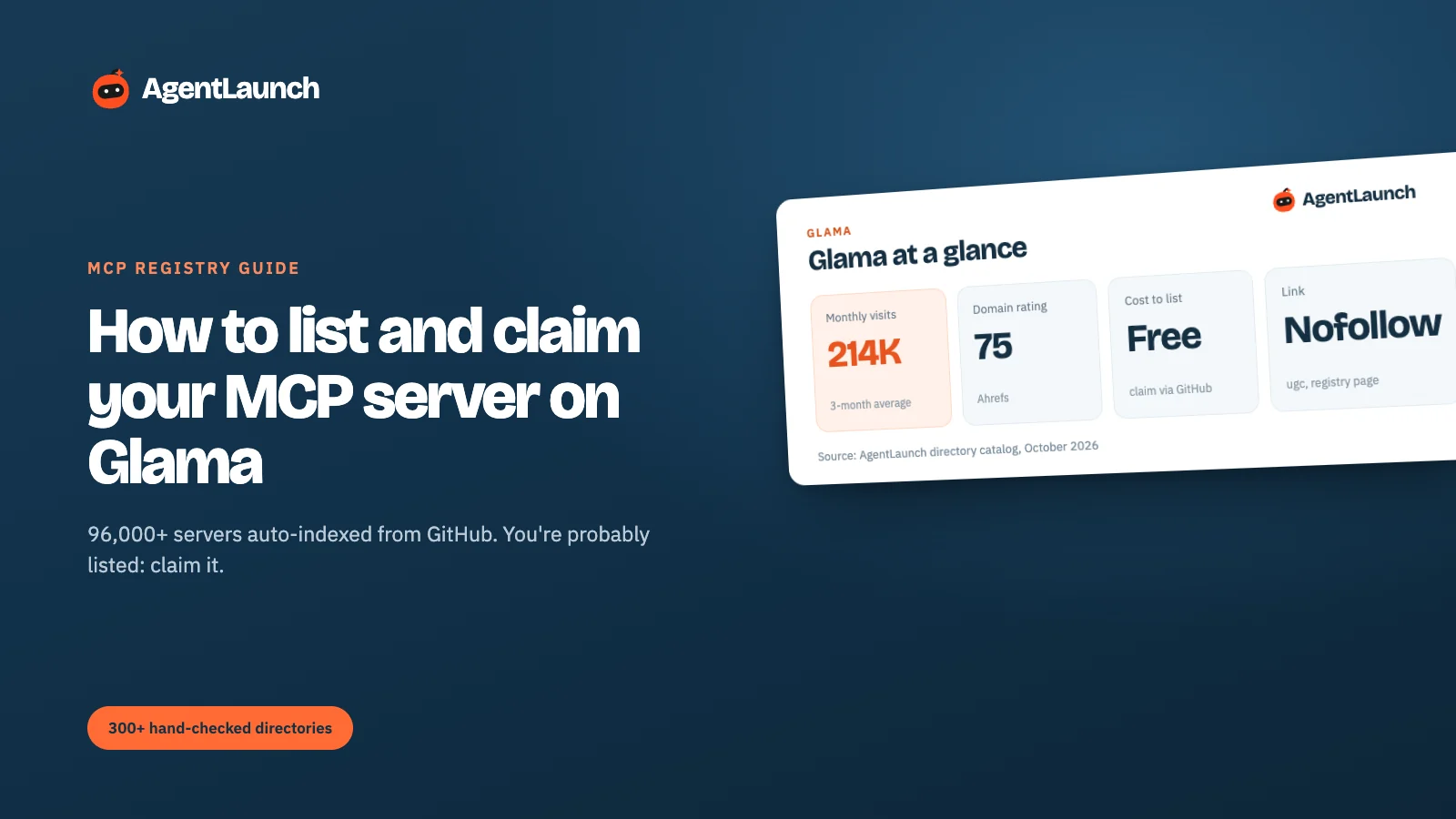
Glama at a glance
| Glama | |
|---|---|
| Registry | glama.ai/mcp/servers |
| Size | 96,482 servers on 5 Oct 2026 (updated daily) |
| Links on your page | All outbound links ugc nofollow (our check) |
| Tool score | TDQS grade per server: disambiguation, naming, tool count, completeness |
| Also offers | MCP gateway, hosting, inspector, "Try in Browser", a directory API |
| How servers get in | Indexed from public repositories, or added with Add Server |
| Cost | Free. Boosted listing is a paid monthly upgrade (from $49/month in our catalog) |
| Sign-up | Google, GitHub, Discord, or name and email (with an "I'm not a robot" check) |
| Labels | Claimed (~6,467), Official (~6,447), plus language, remote/local, category |
| Grades | Each server card shows license, quality and maintenance indicators |
| Domain Rating | 75 (our Ahrefs check) |
| Traffic | ~214,000 visits/month (3-month SimilarWeb average) |
What Glama is
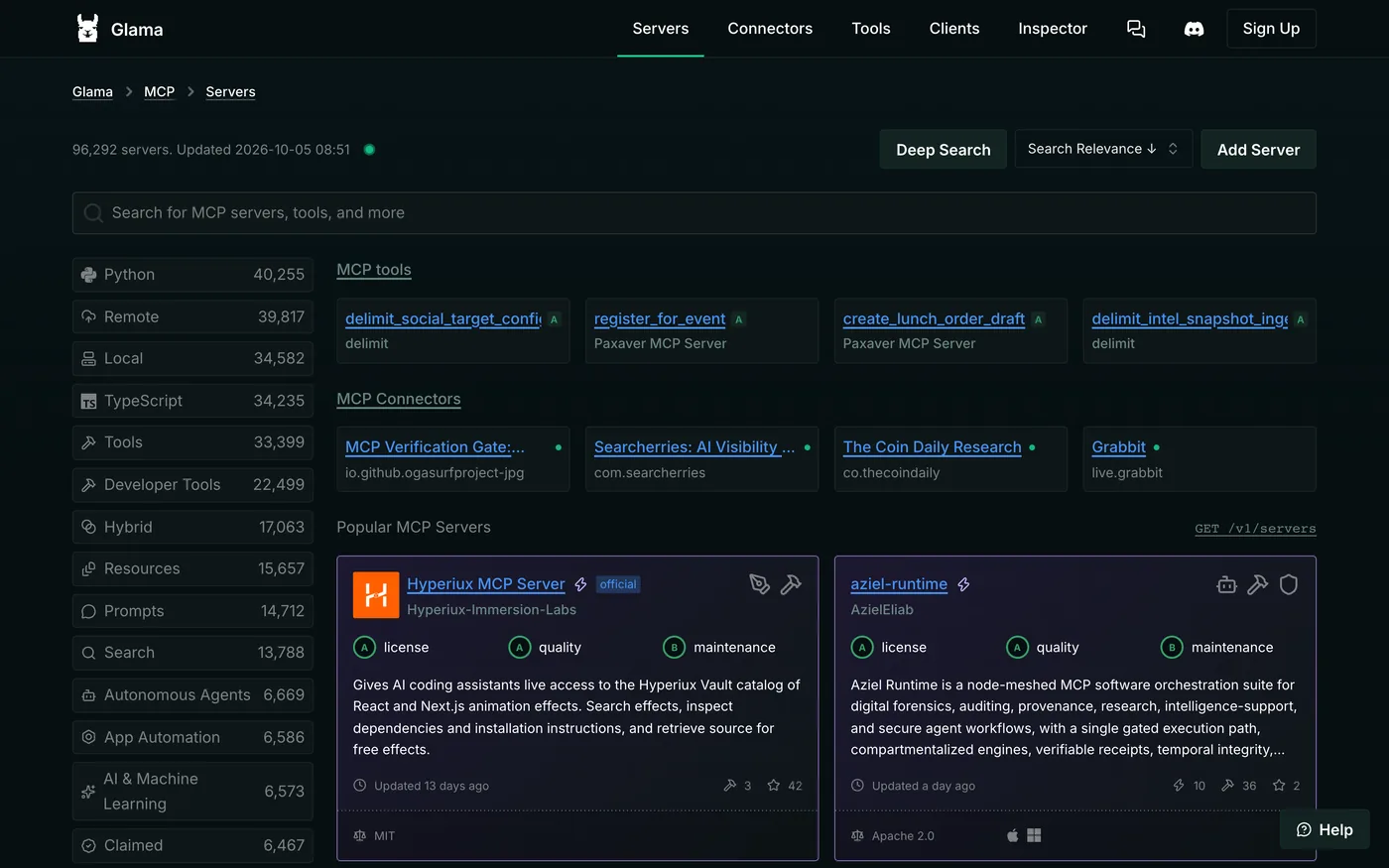
Glama is an AI platform with one of the largest MCP server registries. Besides the registry it runs an MCP gateway, server hosting ("Deploy Server"), an inspector that tests servers, a chat client, and a public directory API (GET /v1/servers) that other tools use to search servers.
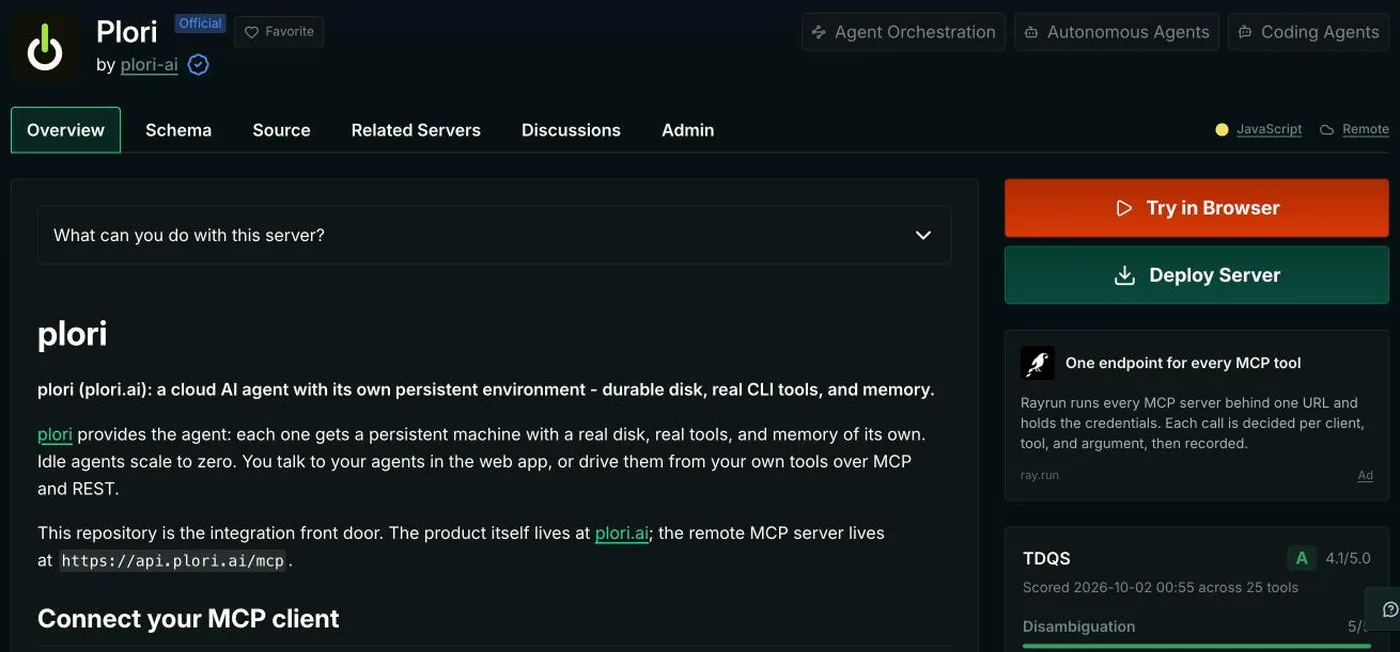
Every server gets a page with tabs for Overview, Schema, Source, Related Servers, Discussions and (for maintainers) Admin. The sidebar shows Try in Browser and Deploy Server buttons, the server's language and whether it's remote or local, a tool-quality score and a maintenance chart.
Step 1: search for your server
Search the registry by repo name, server name or tool. Glama also indexes individual MCP tools, so searching for one of your tool names often finds your server. If you're there, go to Step 3.
Step 2: add it if it's missing
Click Add Server. Glama asks you to create an account first.
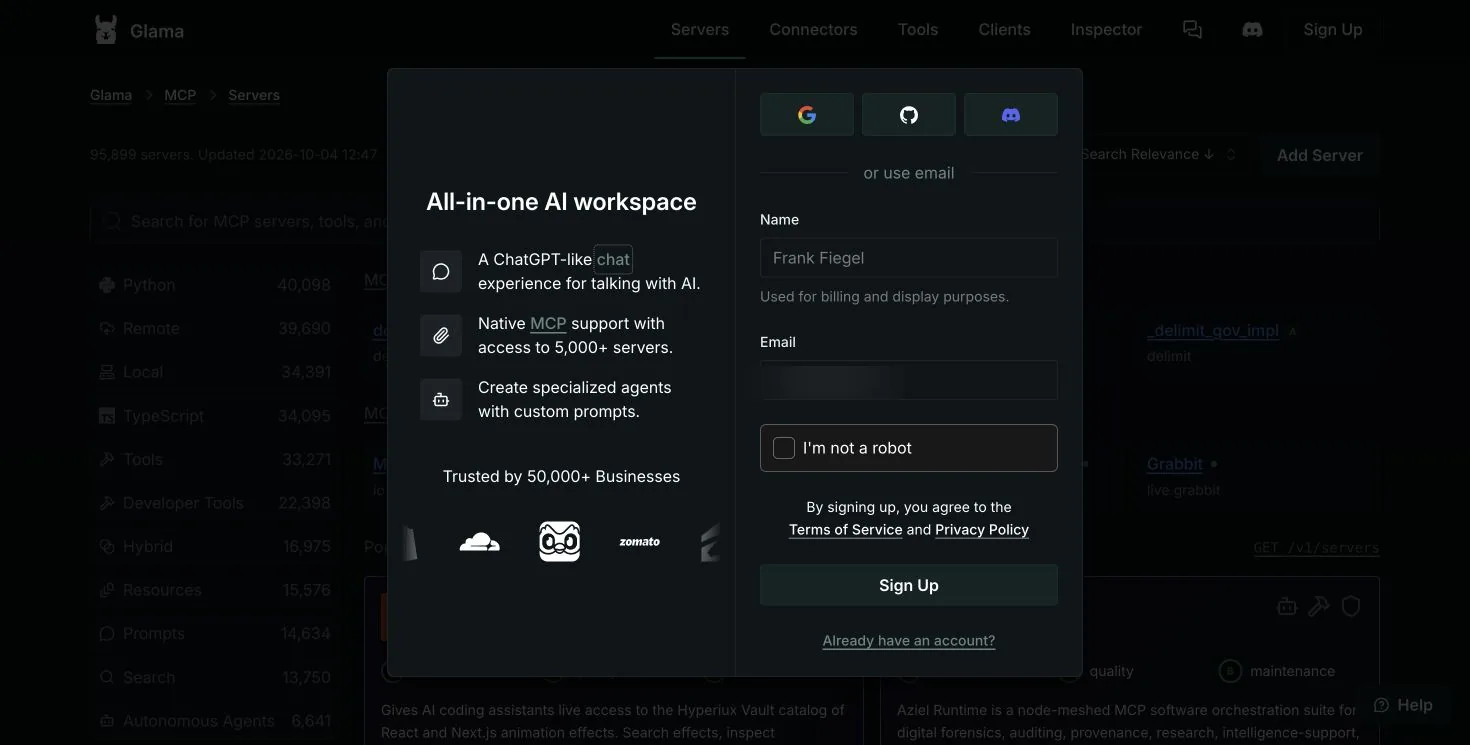
Sign up with GitHub, so Glama can connect you to the repositories you maintain. Then submit the repository URL. Glama builds the listing from the repo: README, tools, language and license.
Step 3: claim it
Claiming marks you as the maintainer, unlocks editing, and adds the Claimed label that users filter on. Sign in with the GitHub account that has access to the repository, open your server's page, and follow the claim prompt. Glama verifies that you control the repo.
Being Official means the server is published by the vendor whose API it wraps (for example the company's own Linear or Stripe server). If that's you, claim it with the vendor's GitHub organisation.
Step 4: raise your grades
Server cards show license, quality and maintenance indicators. They're the quickest trust signals a developer sees:
- License: add a LICENSE file (MIT or Apache-2.0 are the usual choices). No license reads as "don't use".
- Quality: a clear README, tool descriptions, and a working install path. Glama's inspector can test servers, so make sure yours starts cleanly.
- Maintenance: recent commits and releases. A server untouched for months looks abandoned.
The tool definition score (TDQS)
Glama also grades your tools. Each server page shows a TDQS score (for example "A, 4.1/5.0, scored across 25 tools") with four parts:
- Disambiguation: does each tool target a distinct action, so an agent won't confuse two of them?
- Naming Consistency: do tool names follow one pattern (for example
verb_nounin snake_case)? - Tool Count: a sensible number of tools, not one giant tool or hundreds of tiny ones.
- Completeness: do descriptions and input schemas cover what the agent needs?
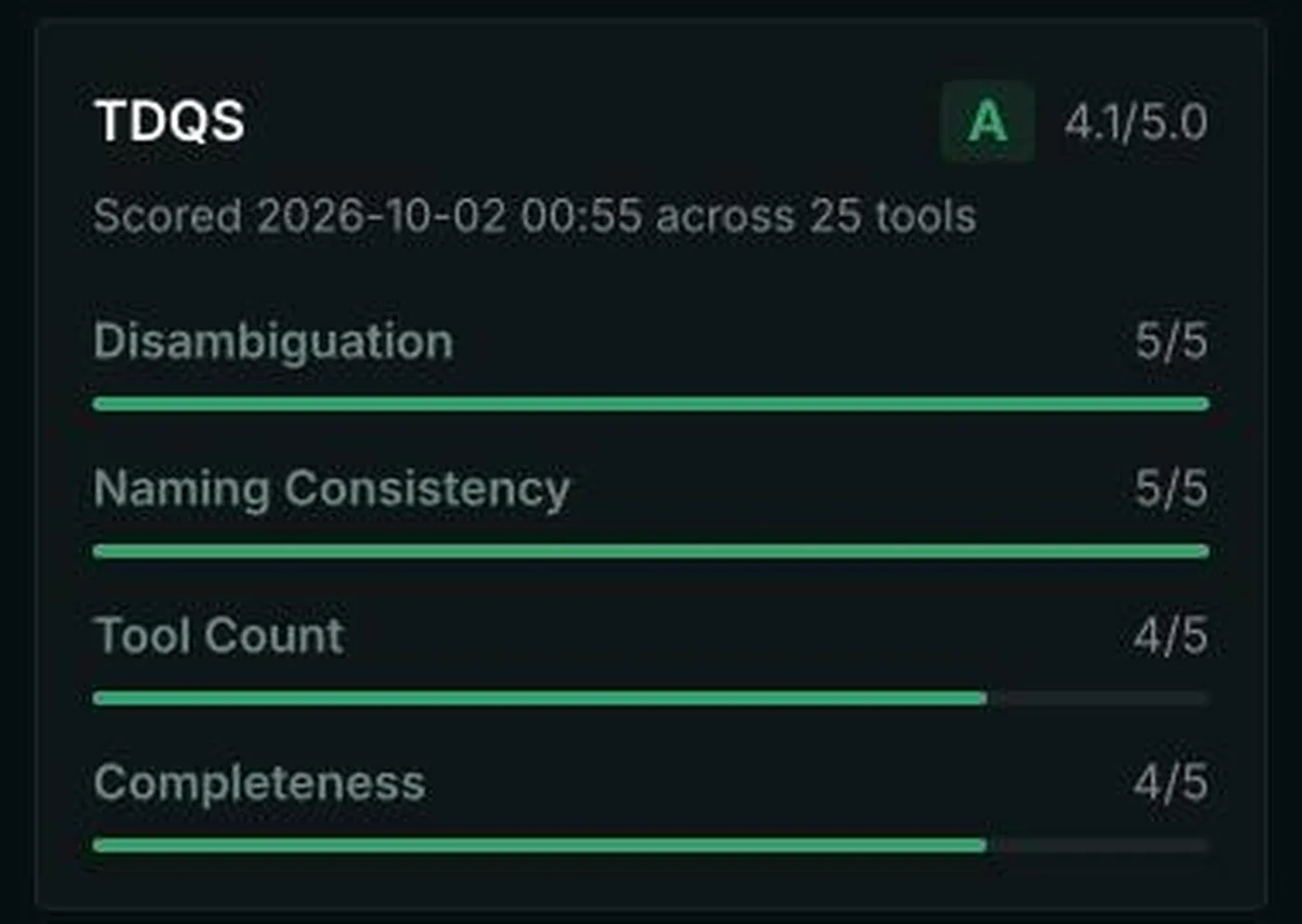
Each part comes with a written explanation, so it's a free review of your tool design. Fix what it flags: rename inconsistent tools, split overloaded ones, and add descriptions that say when to use each tool.
Is a boosted listing worth it?
Probably not for most open-source servers. A boost puts you higher in search and category results for a monthly fee. If your server is commercial and Glama is driving installs (check your referrers), test it for a month. Otherwise, claiming, grades and a good README do more.
Does Glama give you a backlink?
No followed one. On the server pages we checked, every outbound link (to the product site, npm, GitHub and docs) carried rel="ugc nofollow". Glama treats your README as user-generated content.
The value is discovery: about 214,000 visits a month, a directory API that other tools query, and "Try in Browser" for people evaluating servers. Count Glama as a distribution channel, not an SEO link.
Pros and cons
Pros
- Free, and your server is probably already listed.
- Claimed, Official and verified signals help users find the real server.
- TDQS gives free, specific feedback on your tool design.
- Try in Browser and Deploy Server lower the barrier to trying you.
Cons
- All links are
ugc nofollow. - 96,000+ servers, so standing out takes work.
- Grades and labels are visible on every card, including bad ones.
- Boosted placement is a monthly cost.
Common mistakes on Glama
- Not claiming an auto-indexed listing. Unclaimed listings can't be edited, and miss the Claimed label.
- No LICENSE file. It shows on the card and puts developers off.
- Inconsistent tool names. TDQS marks them down, and agents pick tools less reliably.
- A README written for humans only. Glama shows it as your page, so open with what the server connects to and what an agent can do.
List on the other MCP registries
- Smithery: publish by URL (Streamable HTTP) or MCPB bundle
- mcp.so: free submission, or $39 for no review wait and a dofollow link
- Where to submit your AI tool for broader AI directories
AgentLaunch's catalog includes the MCP registries, so you can see which you've covered.
What makes a Glama listing get used
Developers browsing 96,000 servers filter hard. The listings that get installed tend to have:
- A clear first line in the README saying what the server connects to and what an agent can do with it
- A tool list with one-line descriptions (Glama indexes tools individually, so good tool names and descriptions make you findable through tool search)
- Both install paths if possible: local (stdio) for desktop clients and remote (HTTP) for hosted agents. Glama filters by remote and local.
- A license, recent commits and a working build, which feed the grades shown on every card
Glama, Smithery and mcp.so compared
| Glama | Smithery | mcp.so | |
|---|---|---|---|
| How servers get in | Auto-indexed from repos, plus Add Server | Publish by URL or MCPB bundle | Submit a repository URL |
| Links to you | ugc nofollow |
Repo and homepage followed | See guide |
| Cost | Free; paid boost | Free | Free; $39 paid submission |
| Trust signals | Claimed, Official, grades | Verified (official vendor) | Verified badge (paid) |
| Size | 96K+ servers | Large | Large (266K MAU) |
List on all three. It takes under an hour in total, and developers use different registries.
FAQ
Is listing on Glama free? Yes. Boosted placement is a paid monthly upgrade.
Why is my MCP server already on Glama? Glama indexes public MCP server repositories automatically.
How do I claim my server on Glama? Sign in with the GitHub account that controls the repo, open the server page, and follow the claim prompt.
What does "Official" mean on Glama? The server is published by the vendor whose product it connects to.
Does Glama give a dofollow link?
No. Outbound links on Glama server pages are ugc nofollow.
What is TDQS on Glama? A score for your tool definitions, covering disambiguation, naming consistency, tool count and completeness, each with a written explanation.